Weiser Smartcode 10 Manual

smartcode 10 manual
smartcode 10 programming
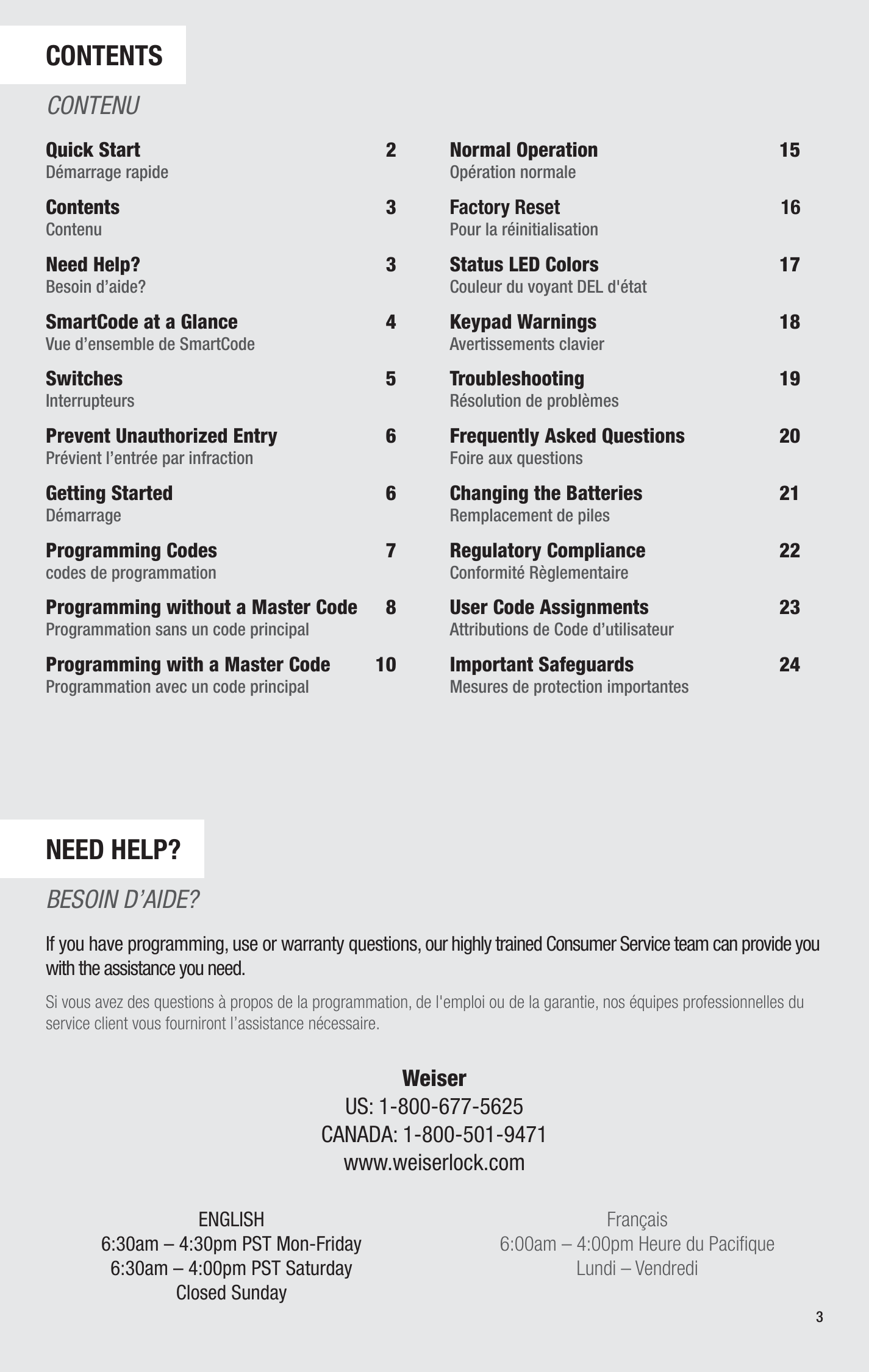
Table of contents page from a manual or guide, listing sections like Quick Start, Contents, Need Help?, SmartCode at a Glance, Switches, Prevent Unauthorized Entry, Getting Started, Programming Codes, Programming without a Master Code, Programming with a Master Code, Normal Operation, Factory Reset, Status LED Colors, Keypad Warnings, Troubleshooting, Frequently Asked Questions, Changing the Batteries, Regulatory Compliance, User Code Assignments, Important Safeguards. The page includes contact information for Weiser, with customer service phone numbers for the US and Canada, and website URL.
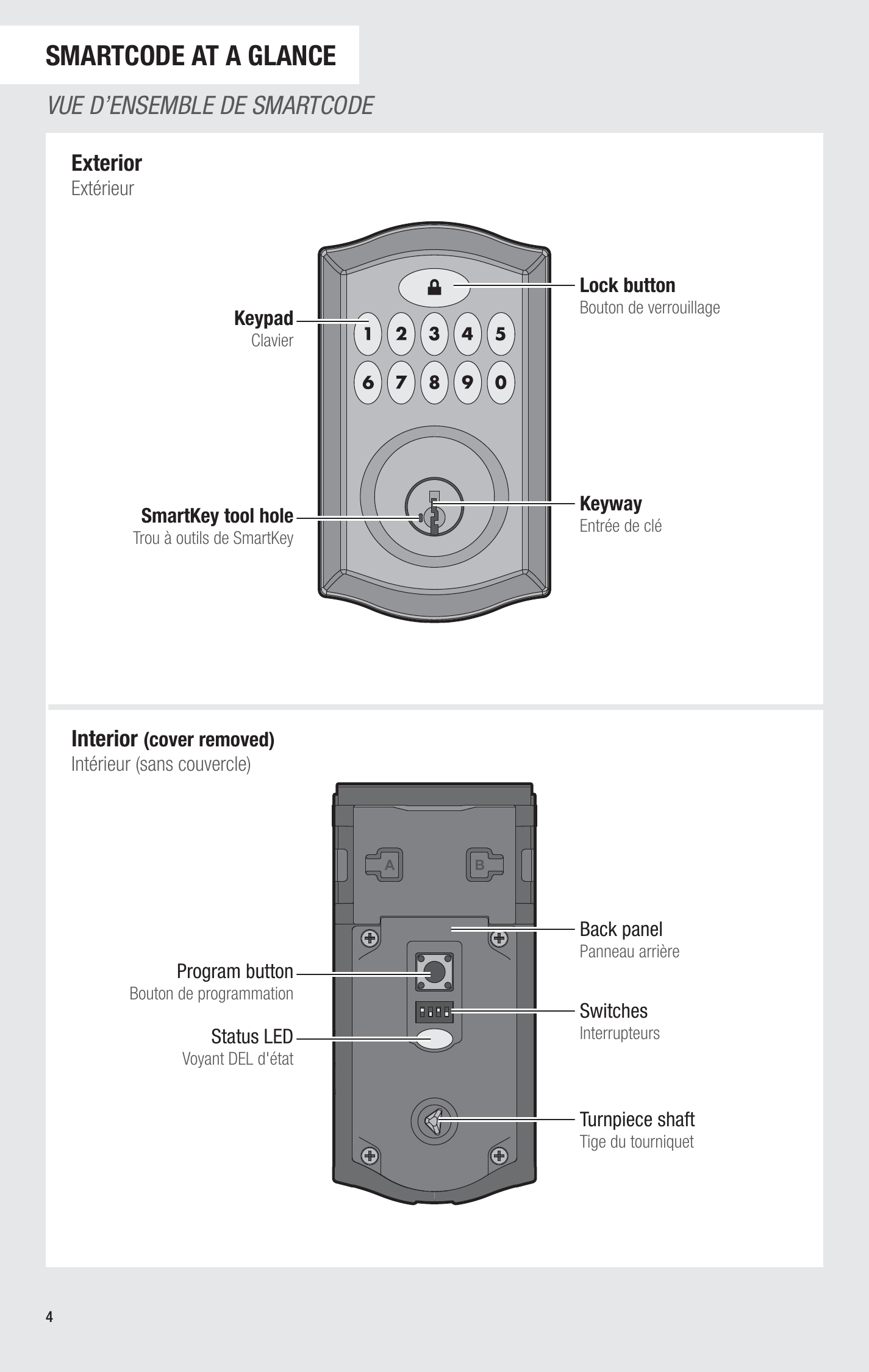
Diagram of a remote control with labeled parts: keypad, lock button, keyway, smartkey tool hole, interior view with program button, status LED, switches, turnpiece shaft.
Diagram of four switches with labels and descriptions explaining their functions, including door lock status LED, automatic re-lock feature, beeping sound, and unused feature.
Page from a manual with instructions on preventing unauthorized entry and installing a SmartCode lock, written in English, French, and Spanish.
Page from a manual titled 'Door Handling Process' with illustrations showing steps for checking door lock mechanism, accompanied by instructions in English and French, and sections on programming codes for lock system.
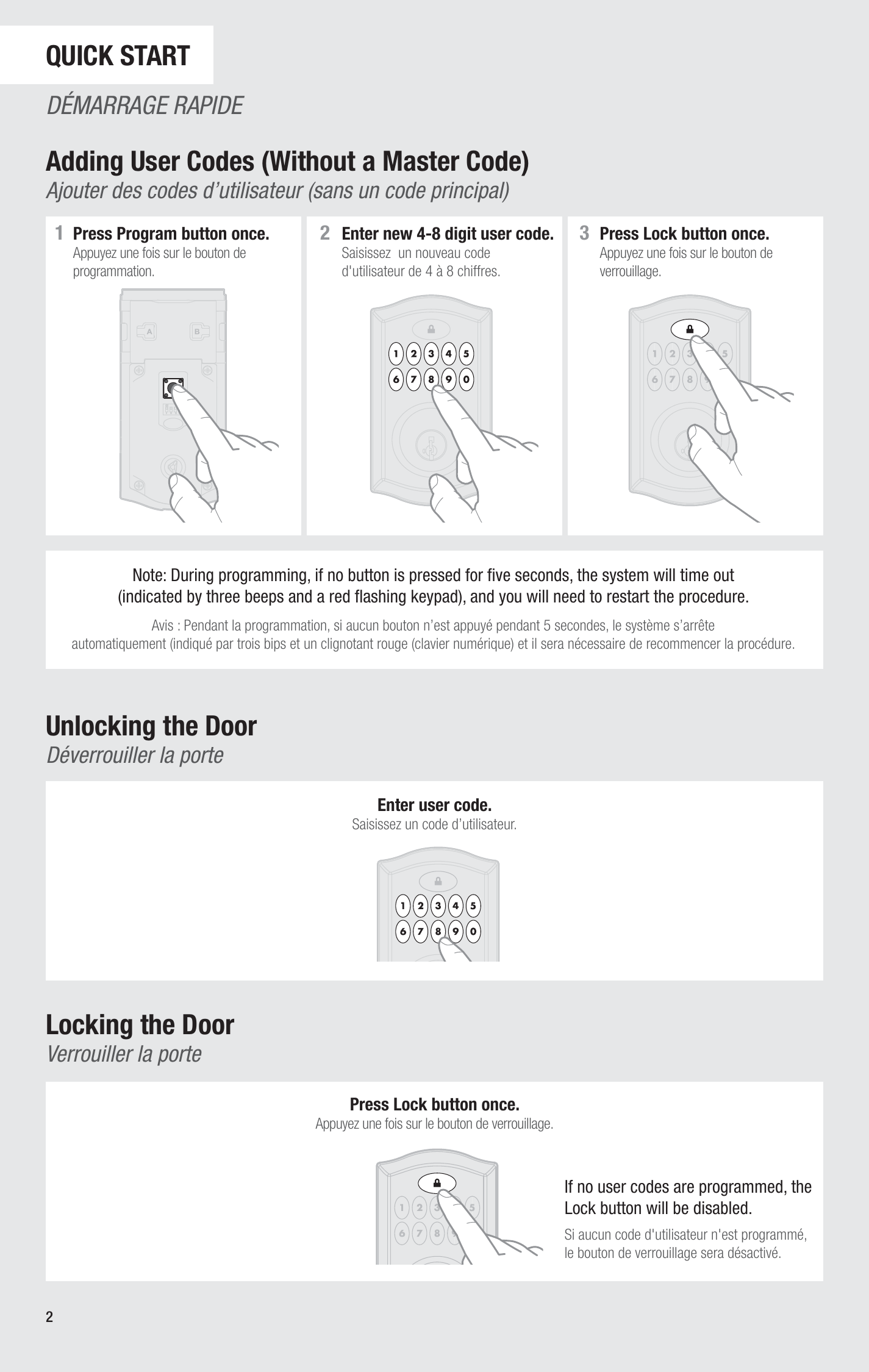
Instructions on programming a user code into a keypad lock, including steps to press the program button, enter a new code, and lock the system. Illustrations show a keypad with labeled numbered steps.
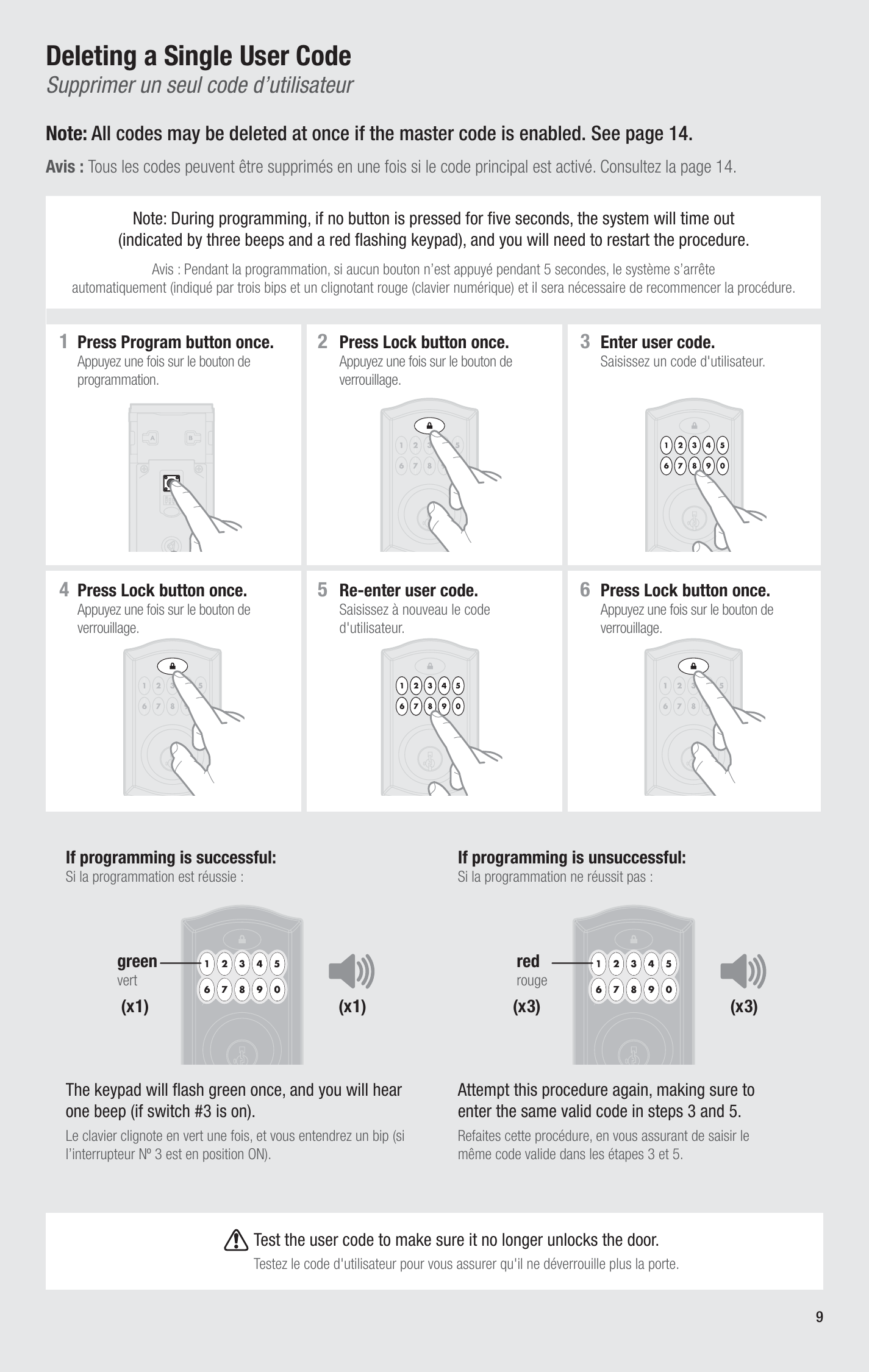
Page from a manual showing instructions to delete a single user code on a keypad, with step-by-step illustrations and troubleshooting tips.
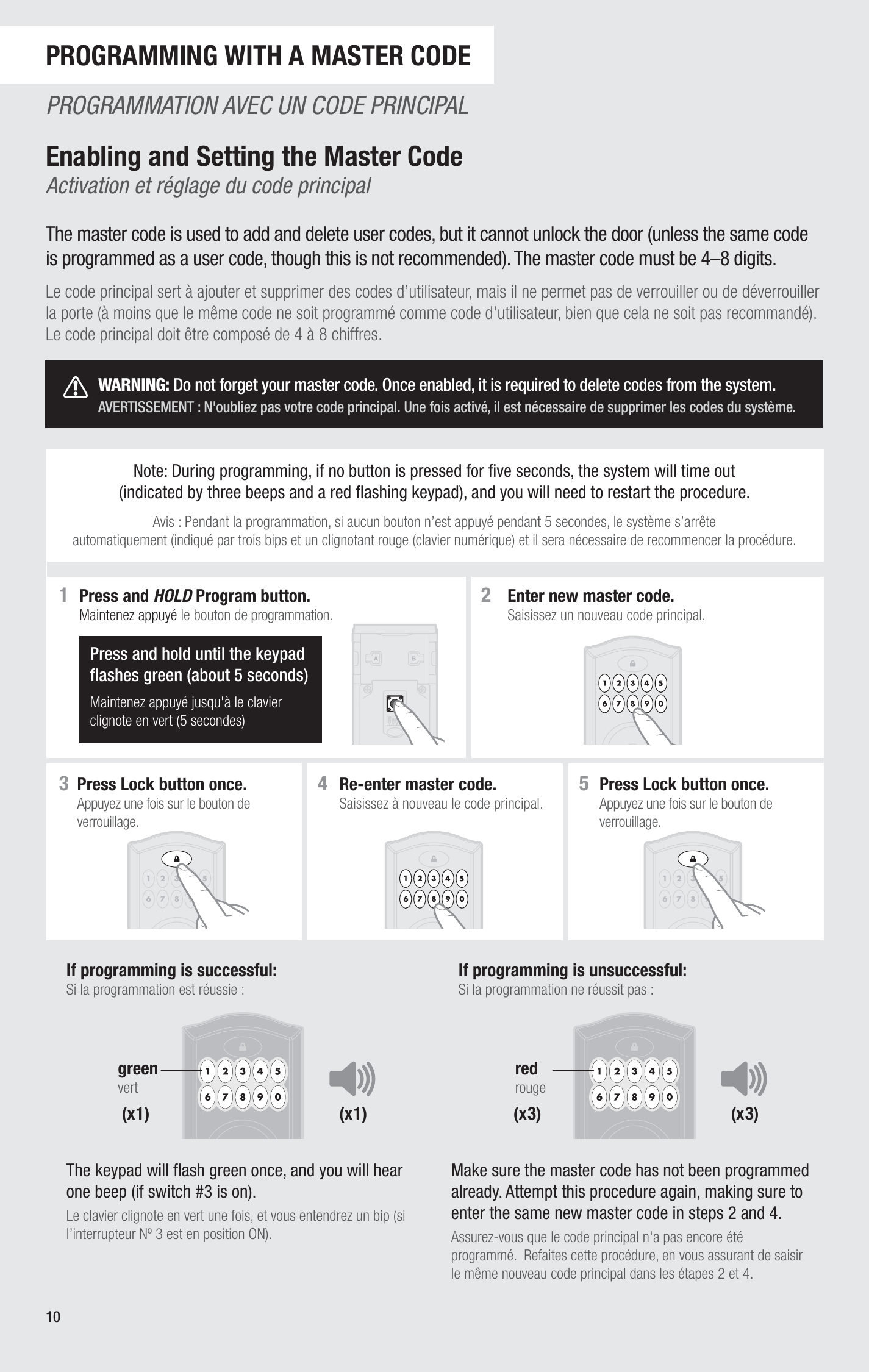
Page from a manual describing how to program a master code on a security keypad, including steps to enter, re-enter, lock, and test the code, with corresponding illustrations of a keypad and a lock.
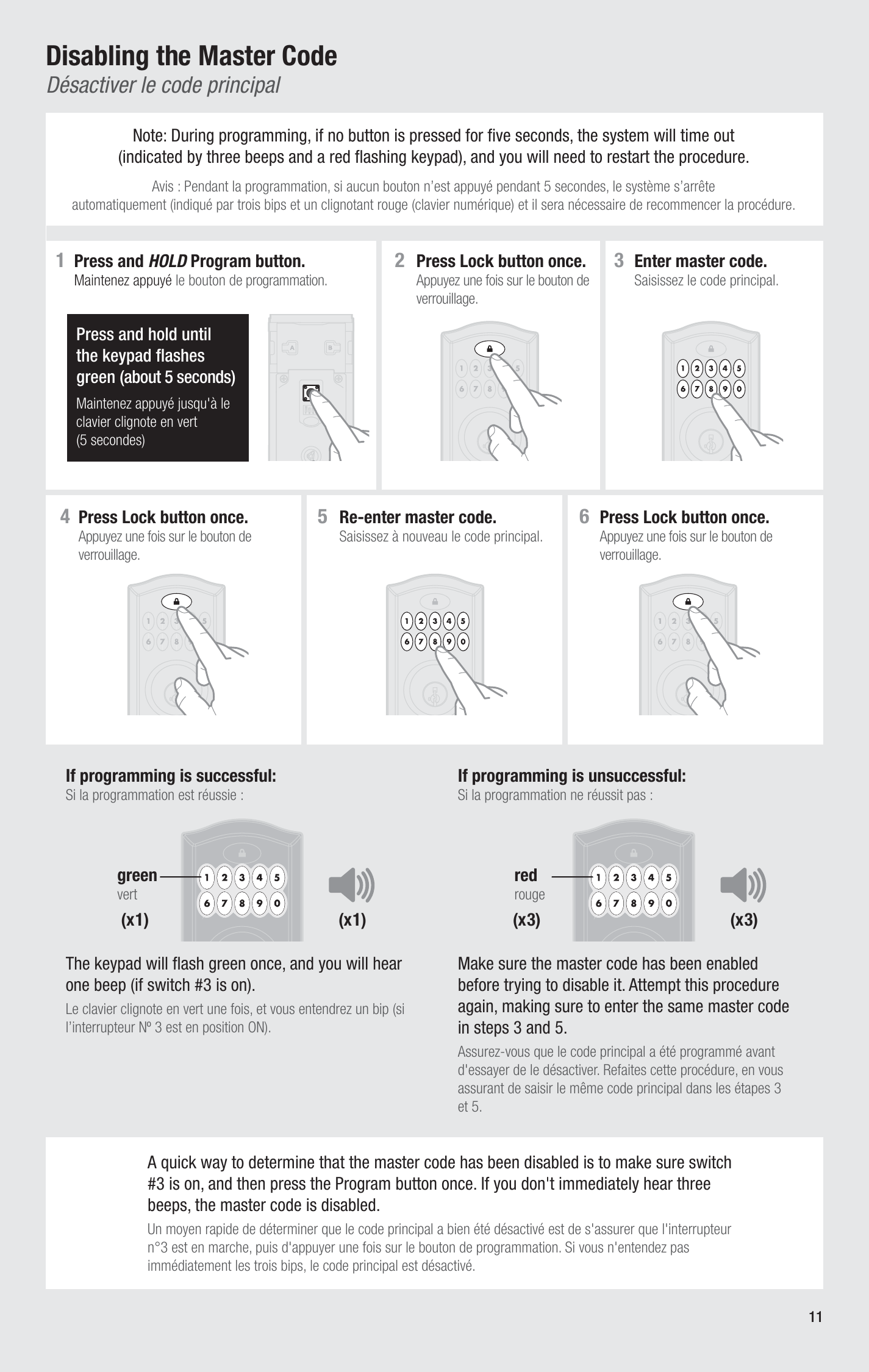
Instructions for disabling a master code on a security system, with step-by-step illustrations, including pressing and holding a programming button for five seconds, pressing the lock button, entering codes, and confirming the code has been disabled.
Instruction manual page for adding user codes to a security lock, including steps to program and lock the device, with illustrations of the keypad and lock buttons.
Instruction manual page for deleting a single user code on a keypad lock. Shows step-by-step instructions with illustrations, including pressing program and lock buttons, entering master and user codes, with success and failure scenarios.
Instruction sheet for deleting user codes on a keypad lock, including steps like pressing program and lock buttons, entering master code, and multiple presses of '9' and lock buttons, with illustrations of the keypad and instructions in both English and French.
Instructions for unlocking and locking a door with a keypad lock, including pressing the lock button once and entering a user code, with both English and French text.
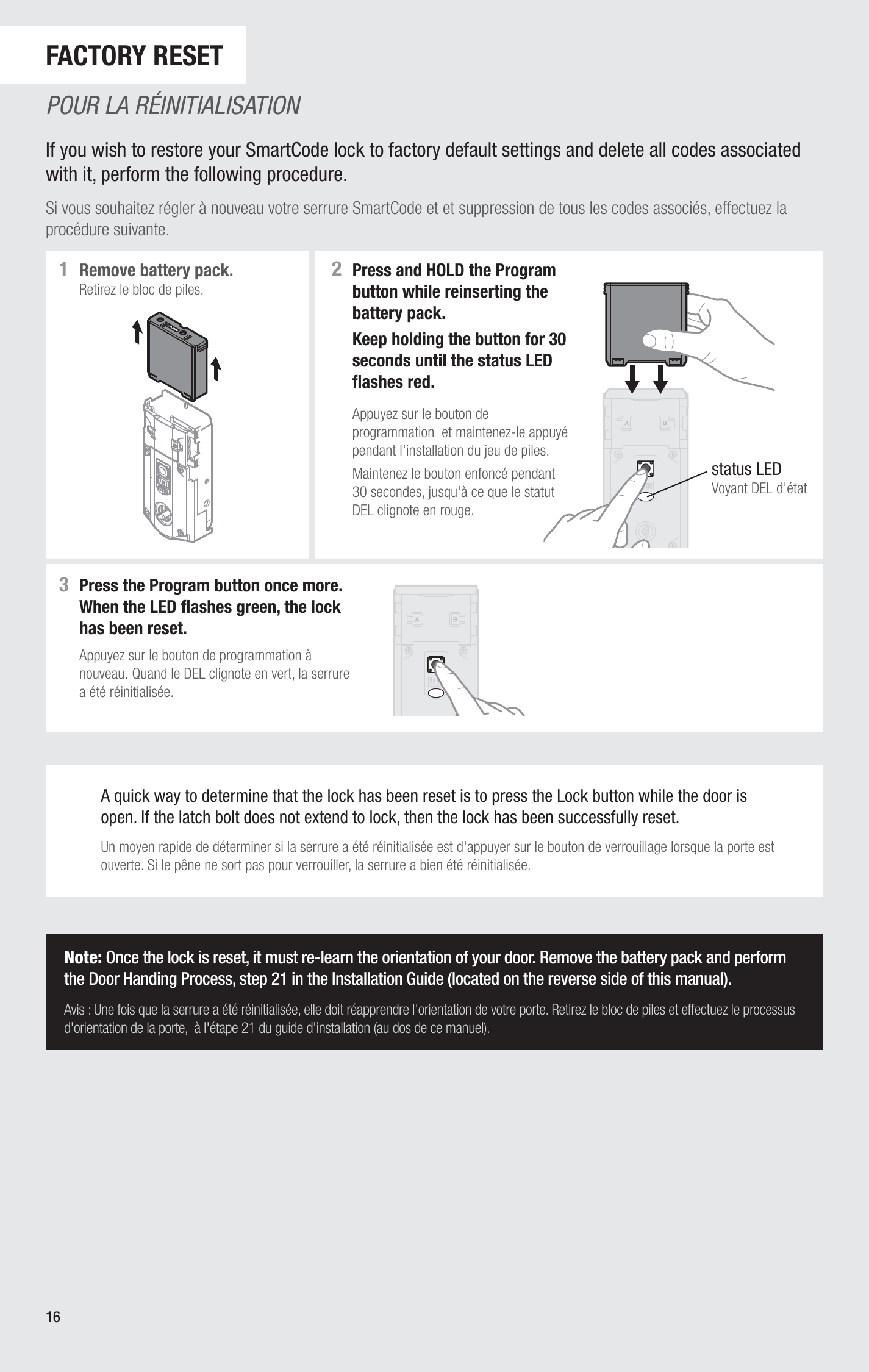
Page from a manual with instructions on resetting a SmartCode lock to factory default settings, including steps for removing the battery pack, pressing the program button, and re-learning door orientation.
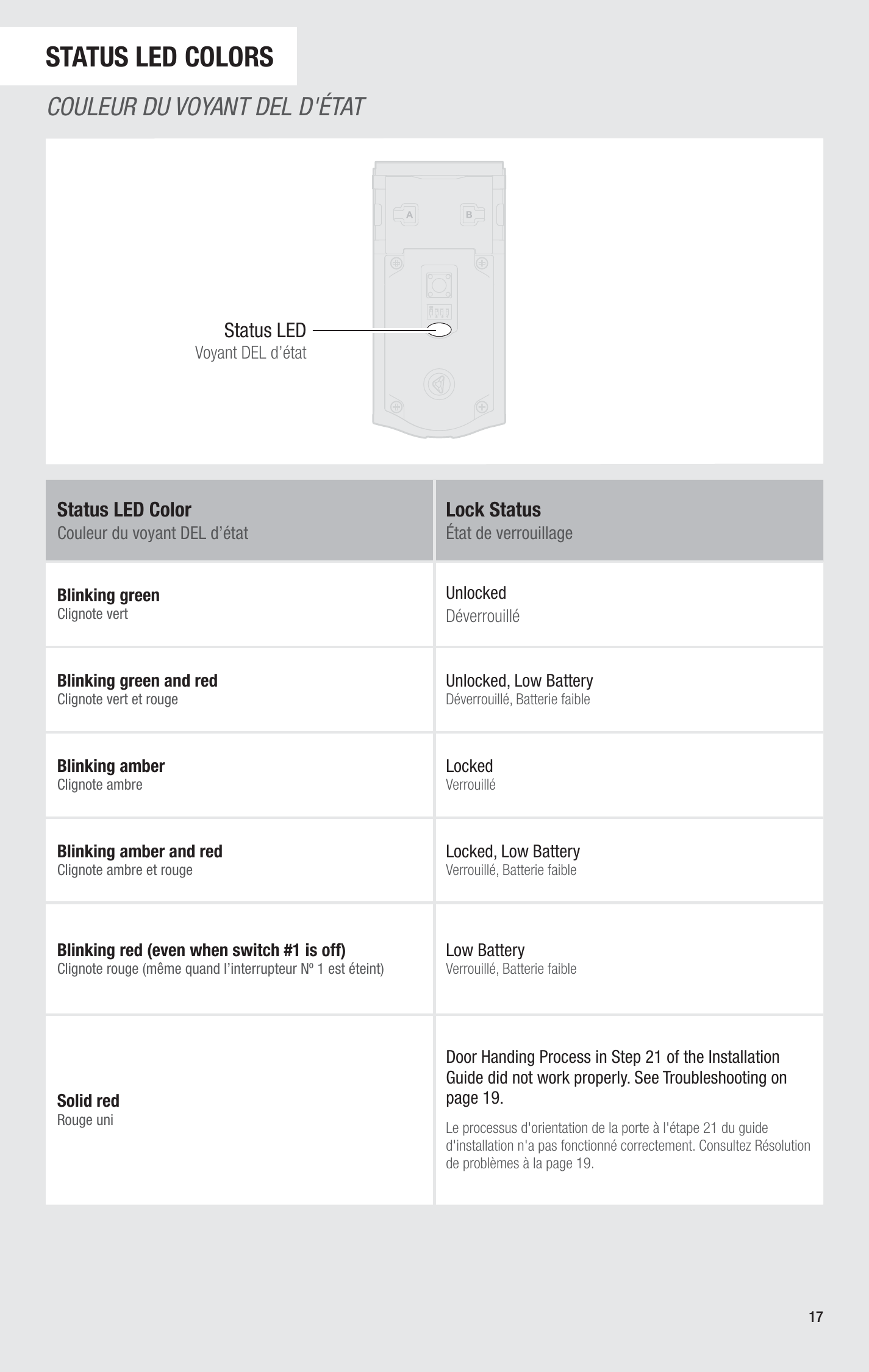
Table showing LED status indicator colors and their meanings, including blinking green, green and red, amber, amber and red, red, and low battery indicators with explanations in English and French.
A user manual page showing warnings and explanations for a keypad used in security systems, with a diagram of the keypad including numbered buttons.
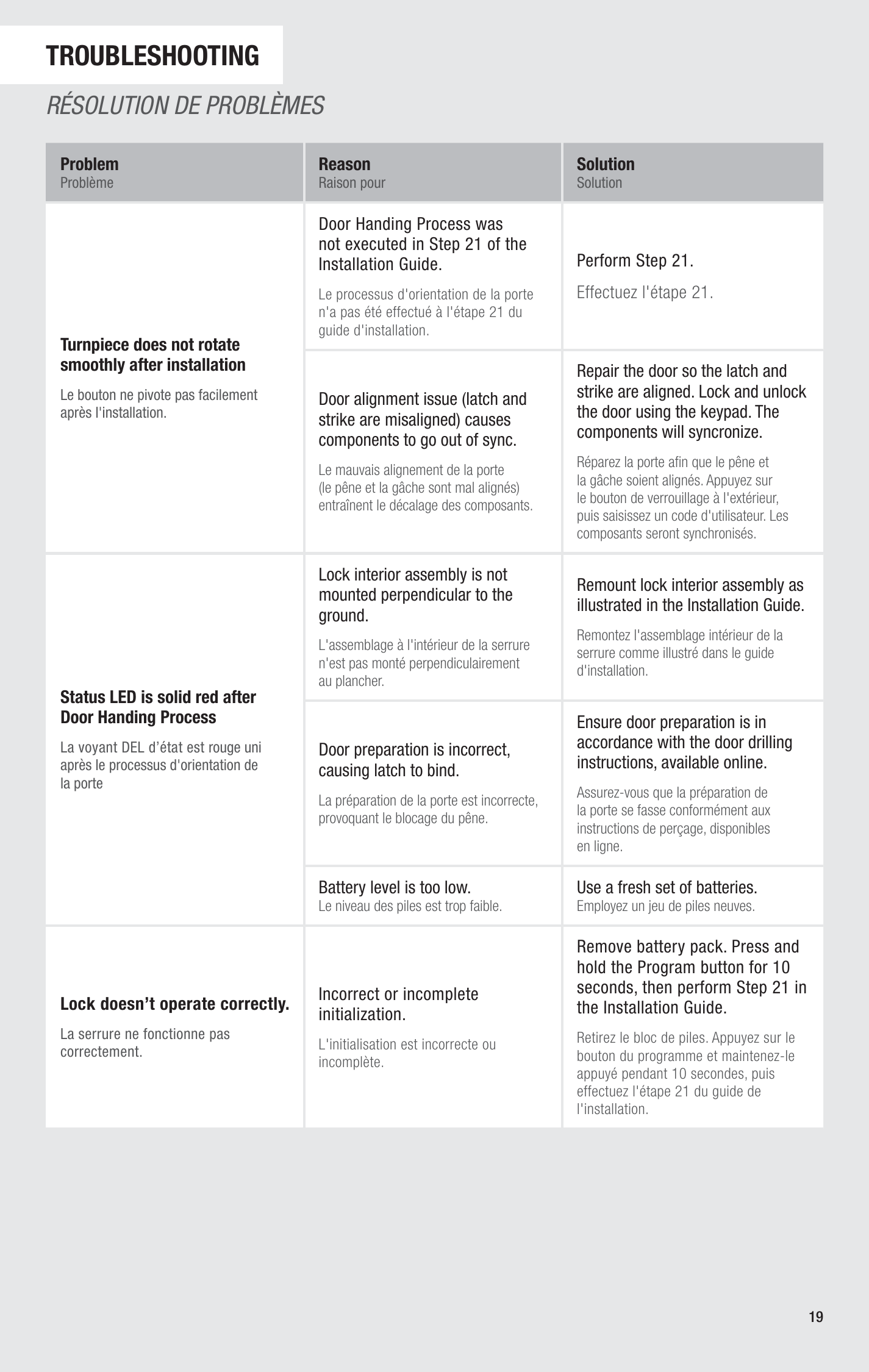
Troubleshooting guide page with a table listing problems, reasons, and solutions related to door installation issues. The table includes issues such as turnpiece not rotating smoothly, lock not mounted perpendicular, LED indicator not displaying red, and lock not operating correctly.
A page from a user manual with troubleshooting questions and answers about battery-powered locks. It includes sections for common problems, reasons, solutions, and FAQs about lock operation, battery life, and maintenance.
Page from a manual with instructions and illustrations for changing and reinstalling batteries in a device, including steps and safety tips in French and English.
Page from a manual or regulation document with instructions in English and French about compliance standards for electronic devices, including sections on FCC regulations, industry Canada standards, and administrator guidelines.
A worksheet titled 'User Code Assignments' with bilingual instructions in English and French, listing numbered lines from 1 to 16, with blank spaces for writing names.
Safety instructions in English and French on a grey background safety notice.