Dormakaba Simplex 1000 Manual

simplex 1000 manual
Page from a bilingual manual showing the table of contents for a locksmith or lock installation guide, with steps listed in English and Spanish.
A bilingual French and Spanish installation manual page with table of contents, record-keeping, archive, and dossier sections, listing various steps for lock installation and adjustment.
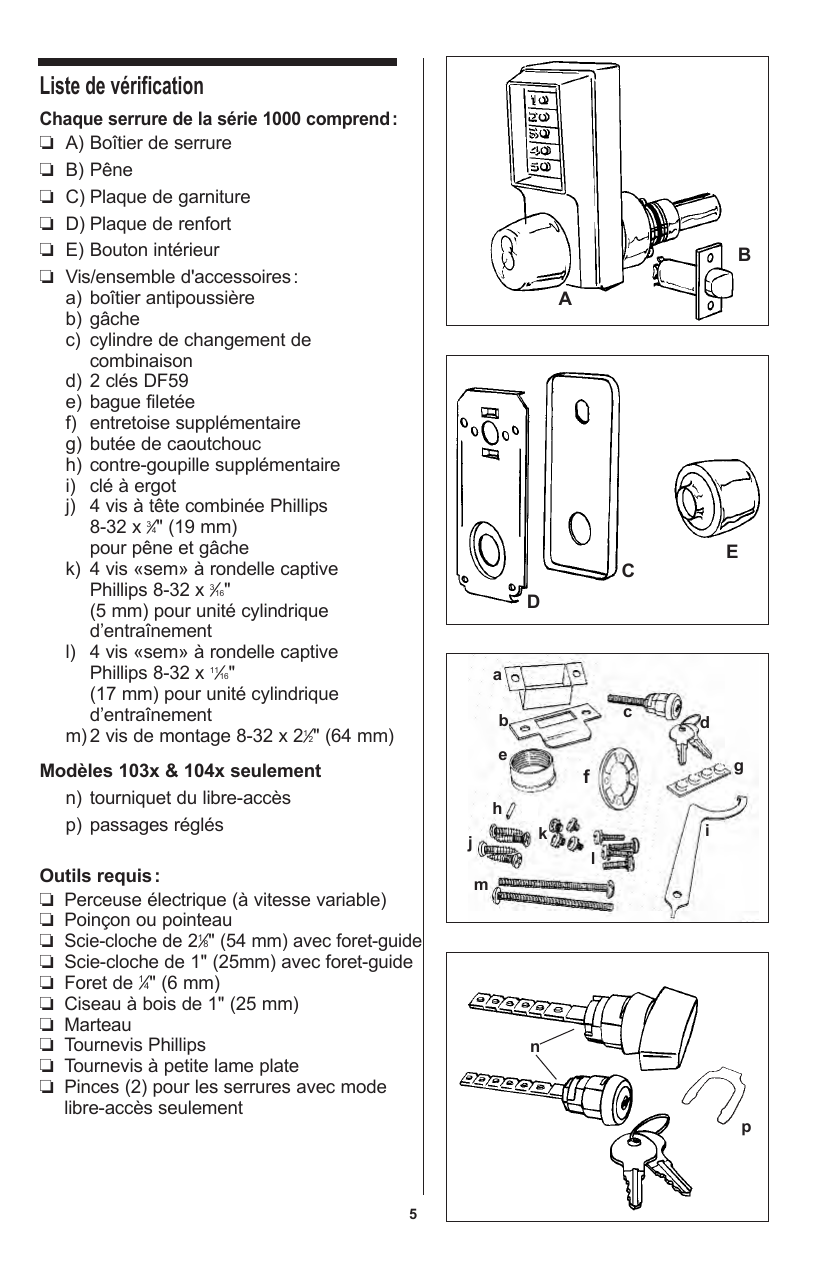
A checklist for lockset components and tools, with sections in English and Spanish, including items like lock housing, latch, lock parts, screw kits, and tools such as screwdrivers and drills.
Diagram of a security lock with various parts labeled, including a digital control panel, key, mounting plate, and assorted tools and components for installation and maintenance.
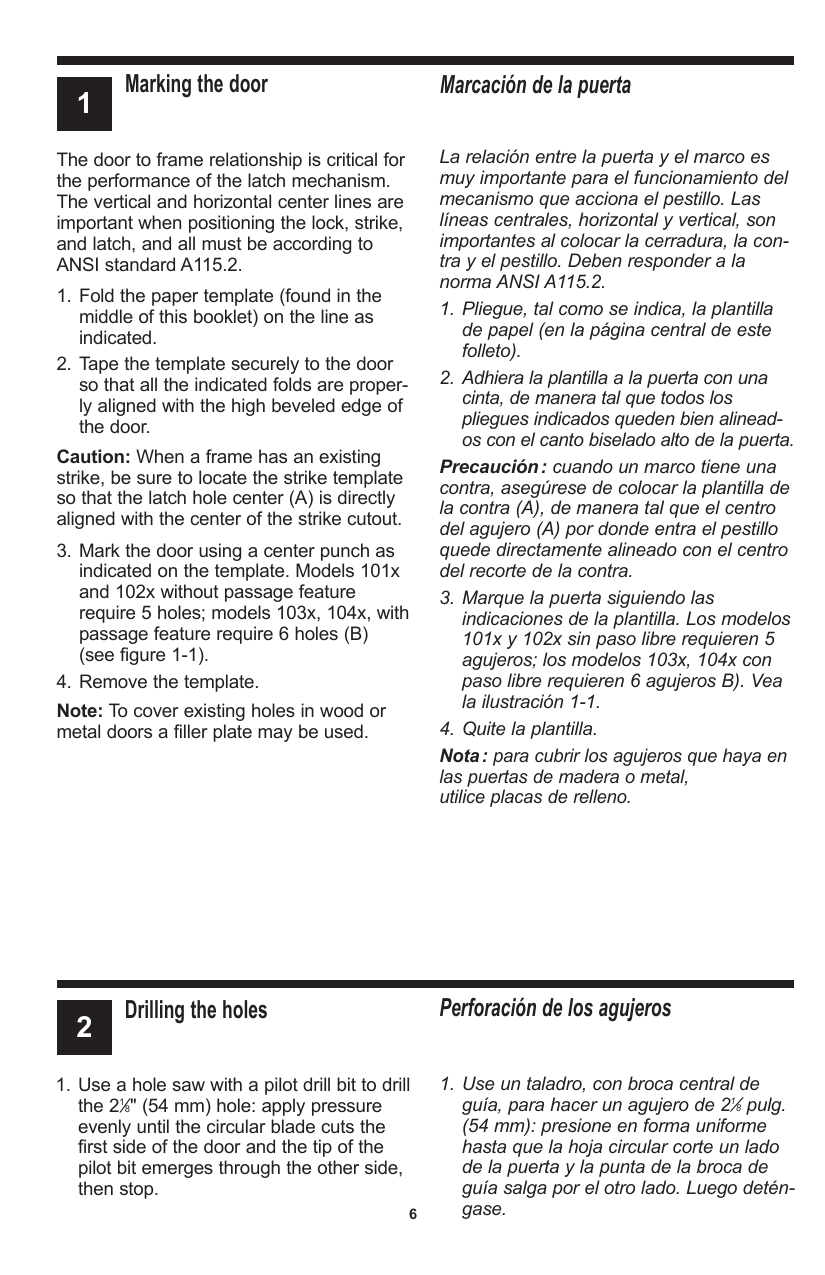
Page showing instructions for marking a door, including steps for folding paper templates, taping to the door, and marking for drilling holes, with the section title "Marking the door" and bilingual instructions in English and Spanish.
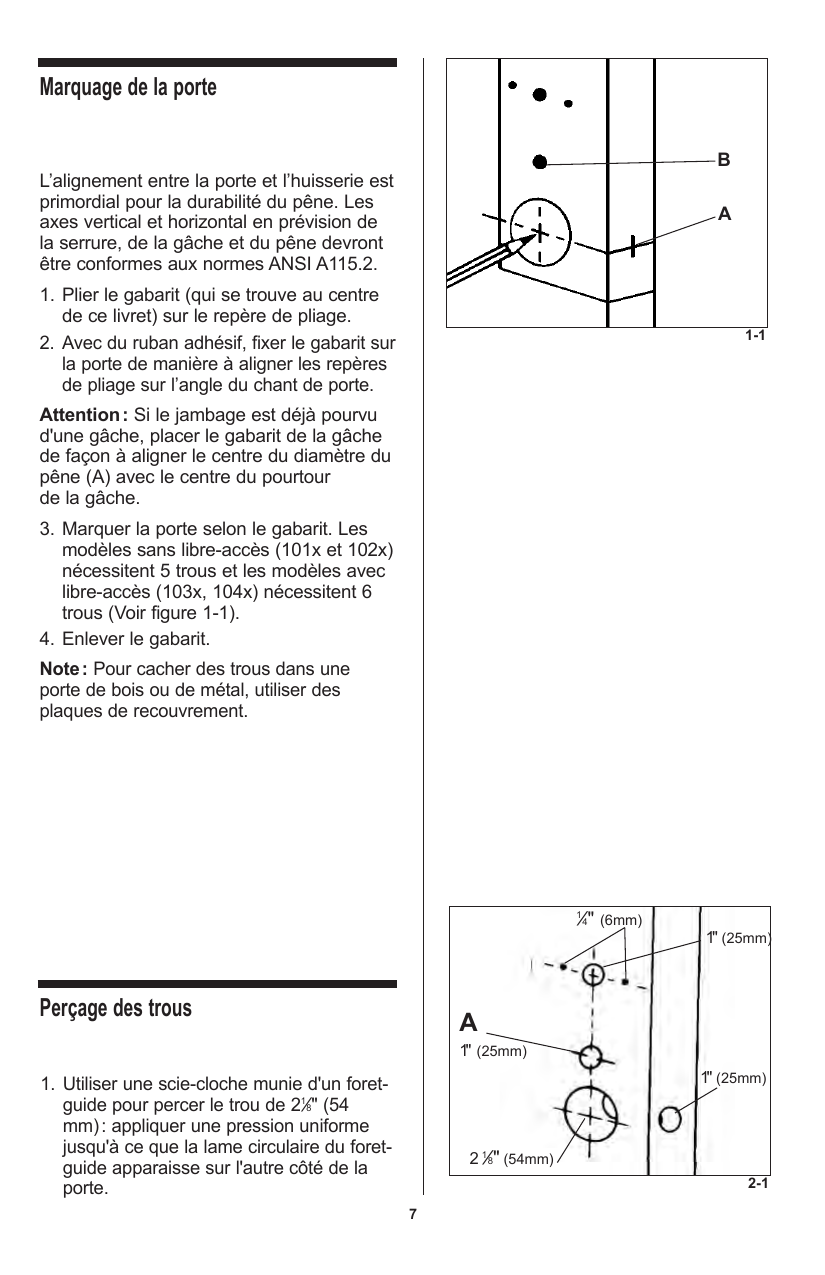
Technical manual page with diagrams showing door lock alignment and hole drilling instructions, including measurements in inches and millimeters.
An instructional page showing steps for drilling holes and installing a latch on a door, written in English and Spanish.
Page with illustrated instructions in French for drilling holes and installing a lock on a door, including diagrams showing drill hole placement, components, and installation process.
Page from a manual with instructions in English and Spanish on how to adjust a lock, specifically for doors 1 3/8 inch to 1 1/2 inch thick, containing numbered steps with illustrations references.
Diagram showing the adjustment of a lock mechanism, including parts labeled AA, BB, CC, DD, and EE, with instructions for removing and replacing components.
Page from a manual showing instructions for adjusting door locks, including steps for removing the back plate assembly, cylinder drive unit, inserting spacers, remounting parts, adding cross pins, and reassembling. Instructions are provided in English and Spanish.
Page from a manual with illustrations showing steps for adjusting lock mechanisms on doors, including diagrams of lock components and setup instructions.
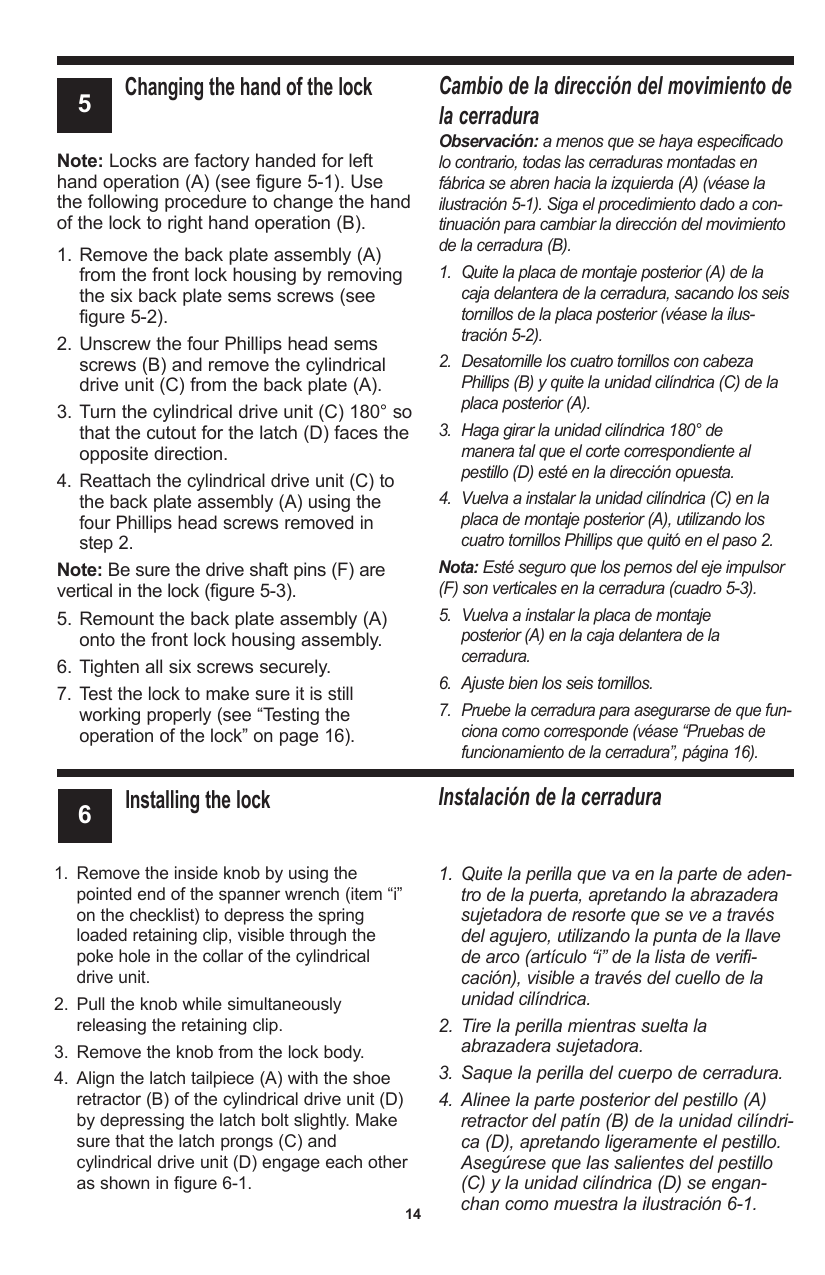
Page from a manual explaining how to change the hand of a lock and install the lock, with instructions in English and Spanish.
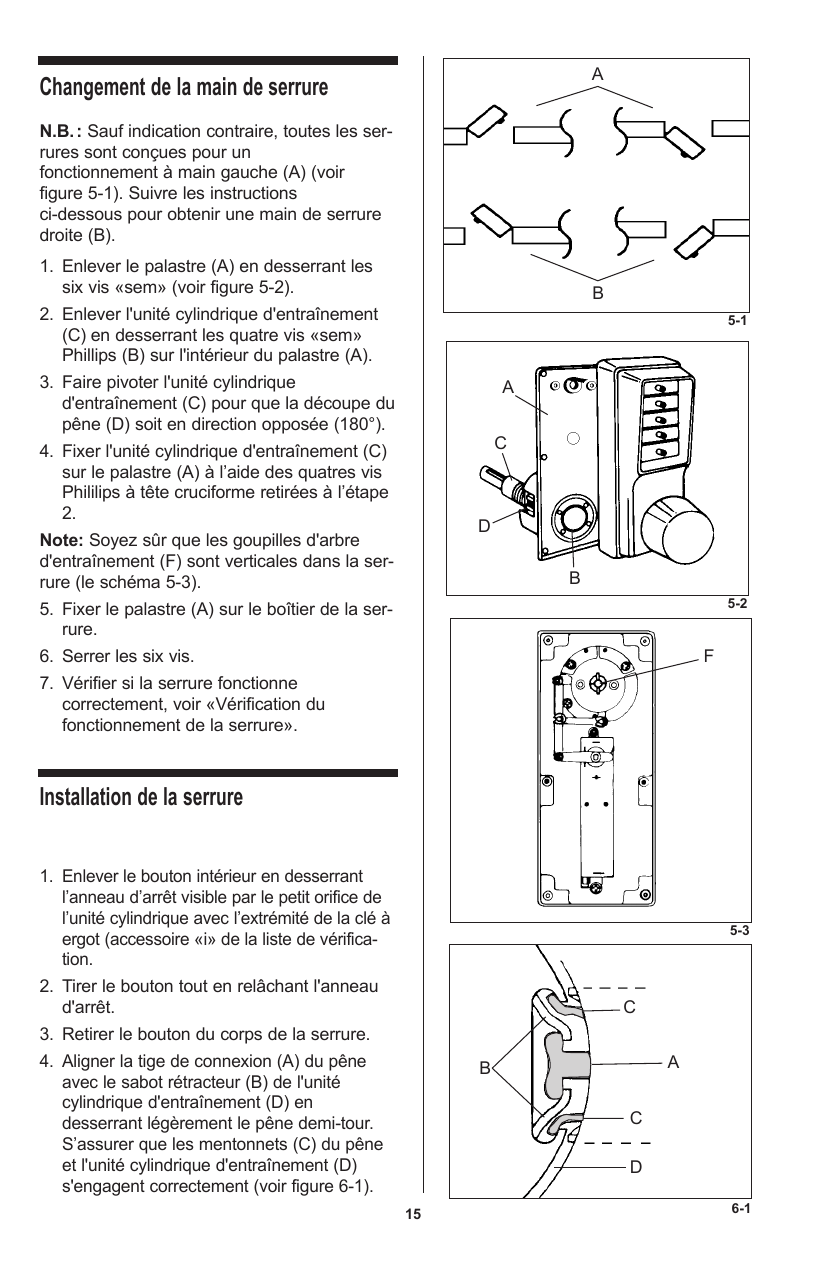
Page from a manual showing diagrams and instructions for changing and installing a lock latch, including illustrations of the lock mechanism, components labeled A-F, and steps for assembly.
Page from a manual with instructions for testing lock operation and installing a reinforcing plate, written in English and Spanish.
Page from a manual with instructions in French and illustrations showing steps for verifying lock operation and installing reinforcement plates, including diagrams of a lock mechanism, lock components, and reinforcement plate installation.
Page from a manual with instructions in English and Spanish on installing a passage set and an inside trim plate, including numbered steps and diagrams.
Illustration showing installation steps for an unlockable latch, including inserting a key and using connection rods, with labeled parts and tools.
Page from a technical manual with step-by-step instructions in English and Spanish for installing an inside knob and a combination change plug assembly.
Illustrated step-by-step instructions for installing a door lock button and a cylinder for a lock. Includes diagrams showing how to position and tighten parts.
Page contains warranty and return policy information for KABA SIMPLEX 1000 series locks, including details about product warranty, installation instructions, environmental effects on finish, and return authorization procedures.
A white USPS business reply mail envelope with black, white, and gray barcodes, an 'US MAIL' label, and address information for the recipient, Kaba Access Control in Winston-Salem, North Carolina.
A blank registration card with text instructions and checkboxes for facility types and lock types, including sections for personal information and questions about lock installation and learning about Kaba Access Control Pushbutton Locks.
A page from a notebook with the heading 'Notes' and blank lines for writing notes.
Page from an instructional manual on installing the key override cylinder, with steps in English and Spanish, including warnings and detailed procedures.
Illustrations showing steps for installing a vehicle's primary cylinder. The first image depicts a driver component and a cylinder with an external view. The second image shows a driver aligned with the cylinder, with a detailed illustration of the internal mechanism. The third image displays the driver and cylinder with the internal components engaged and aligned.
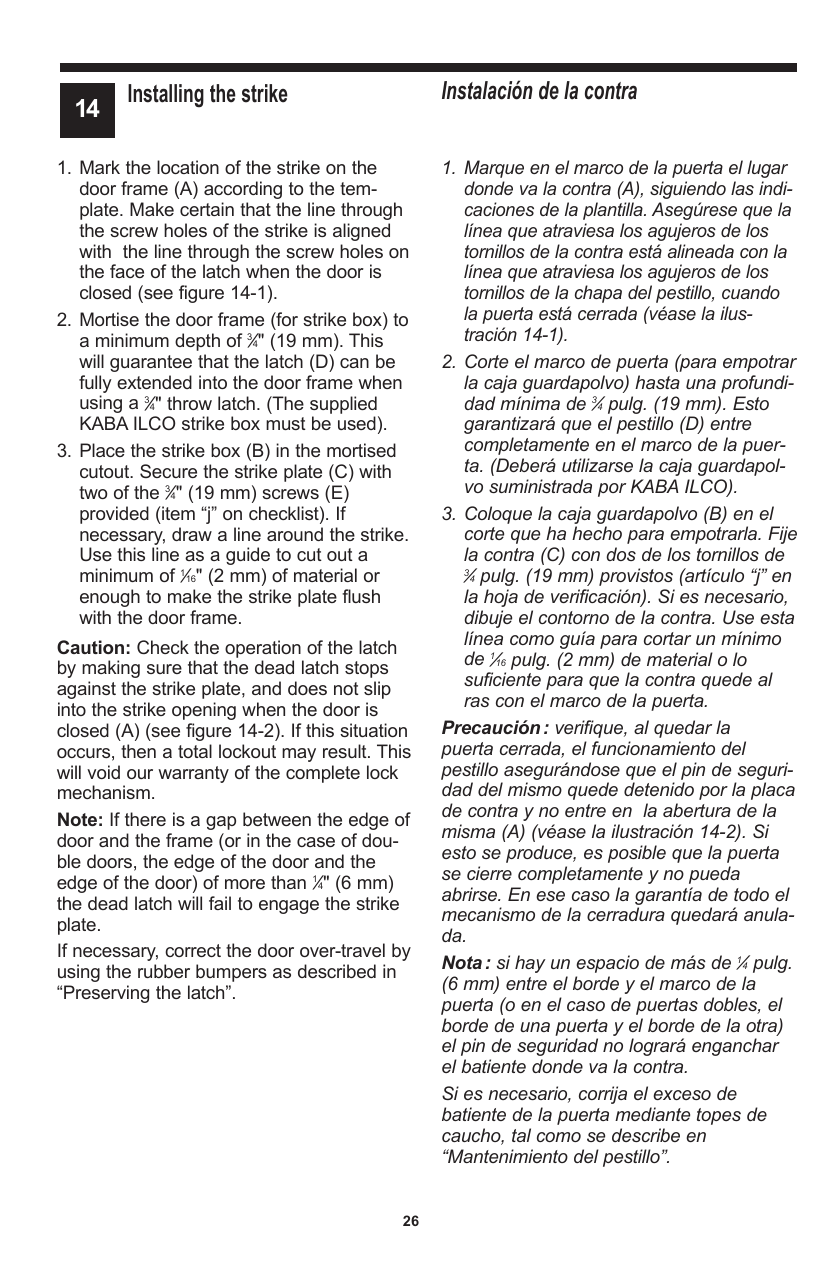
Page from a manual titled 'Installing the strike' with step-by-step instructions for installing a strike on a door, including diagrams and caution notes.
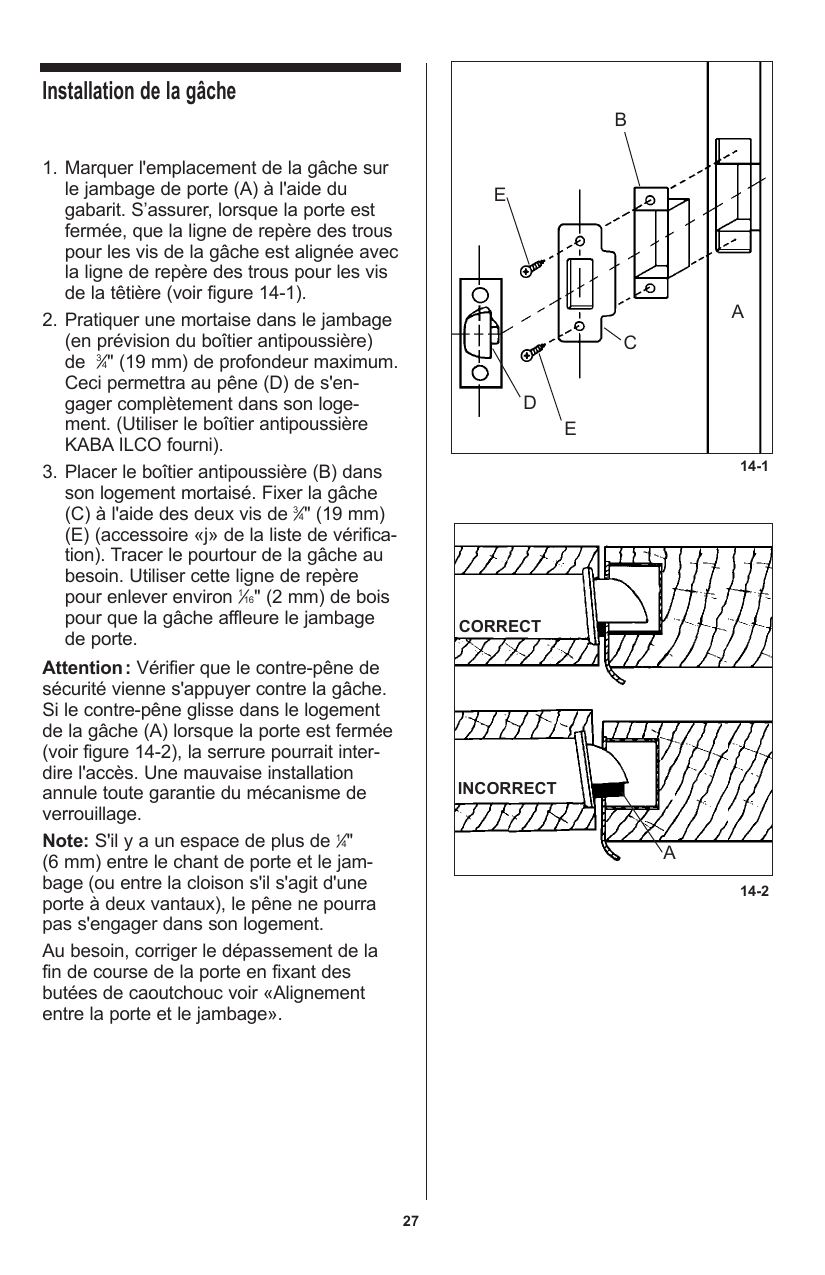
Diagram showing the installation of a latch on a door jamb, including steps for marking the latch position, using a mortise, positioning the strike plate, and proper alignment for security and functionality.
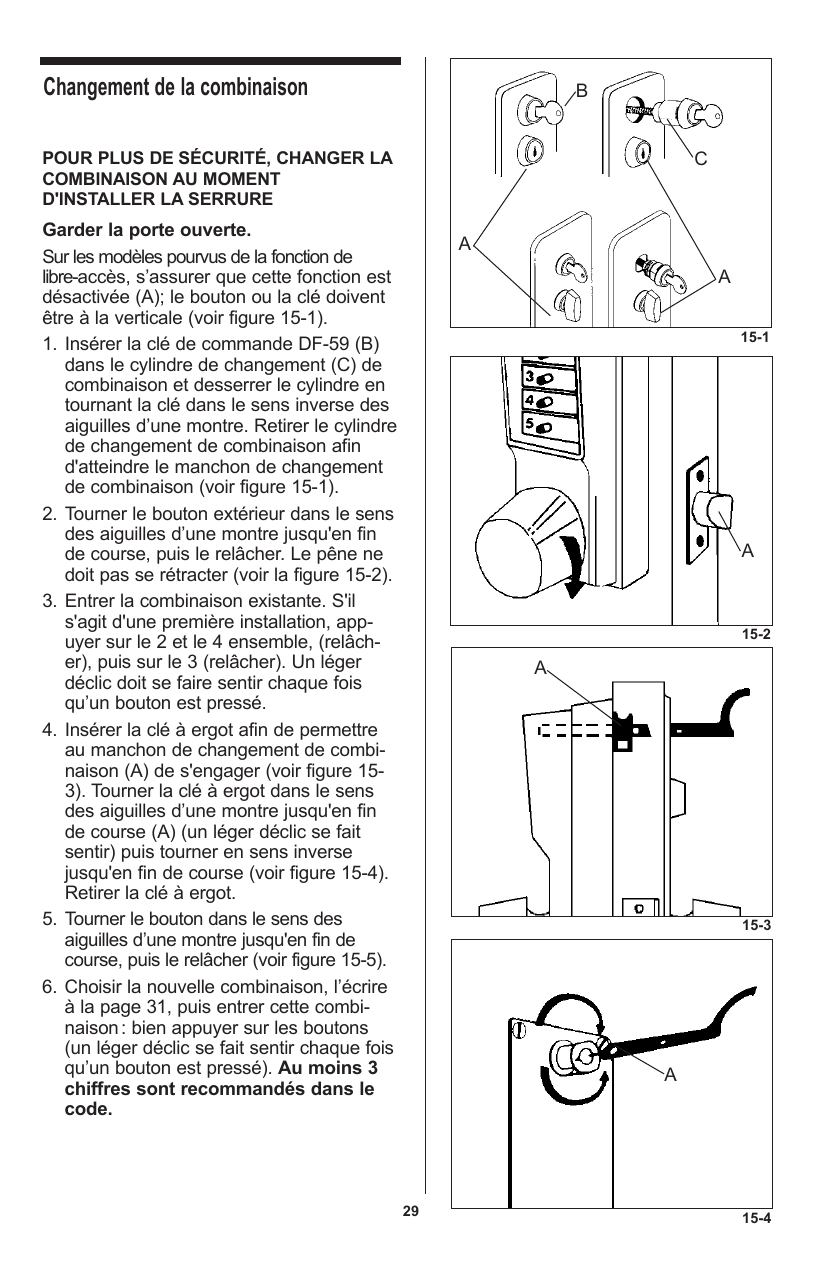
Page from a manual explaining how to change a security combination. Instructions include removing a lock, turning knobs, and setting a new combination, with steps detailed in both English and Spanish.
Illustration showing the steps to change a lock cylinder, including removing and installing a lock cylinder, using tools and keys, with labeled diagrams of the assembly and lock components.
A page from a manual or guide with instructions in English and Spanish on how to change a combination lock, including steps for turning the outside knob and res securing the change plug, with a section for recording combination settings.
Instruction page with diagrams showing how to change a combination lock and reset a switch. The diagrams illustrate rotating a knob and a key slide to set a new combination.
Page 32 from a manual titled 'Using the passage function' for models 103x and 104x, including instructions in English and Spanish on how to operate, activate, deactivate, and cancel the passage function with numbered steps and procedural notes.
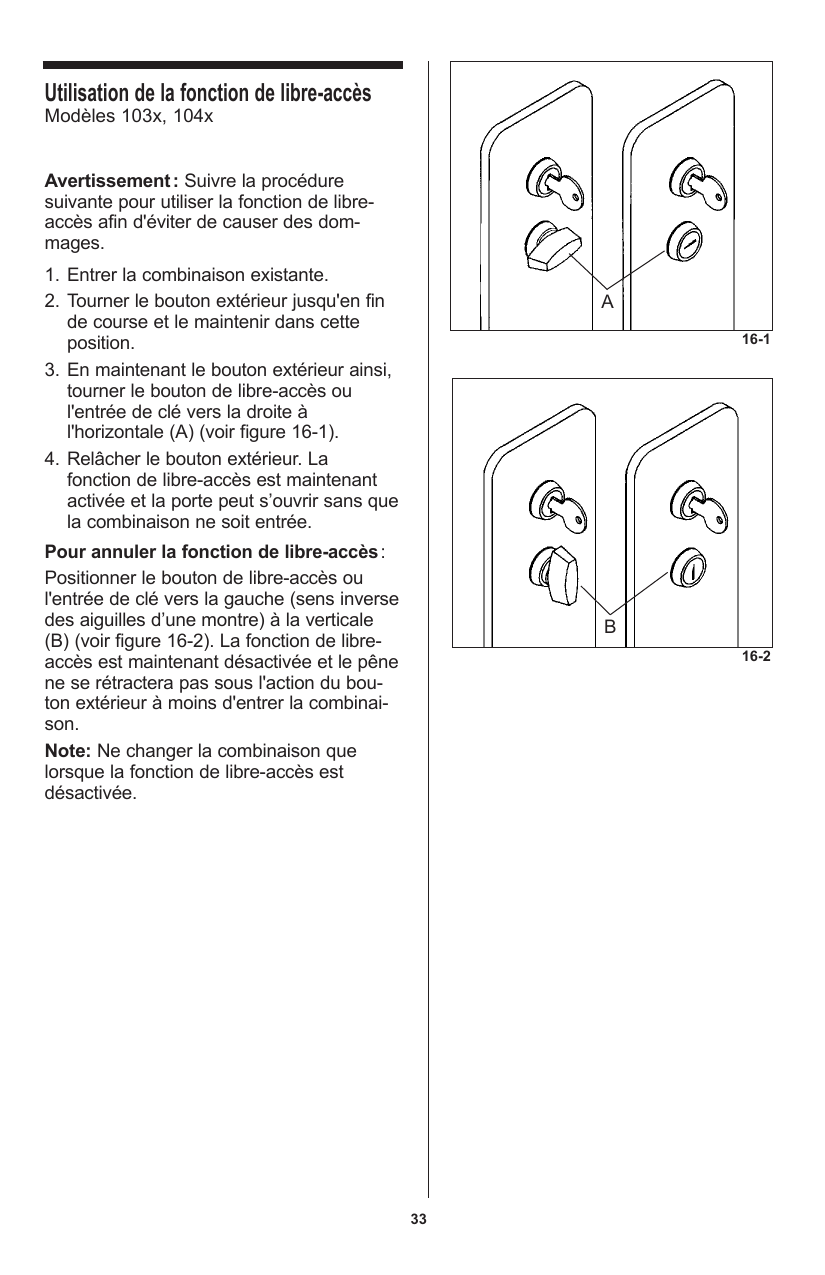
Instruction manual in French with diagrams showing the process of using and canceling the free-access function on a lock, with two panels depicting different steps.
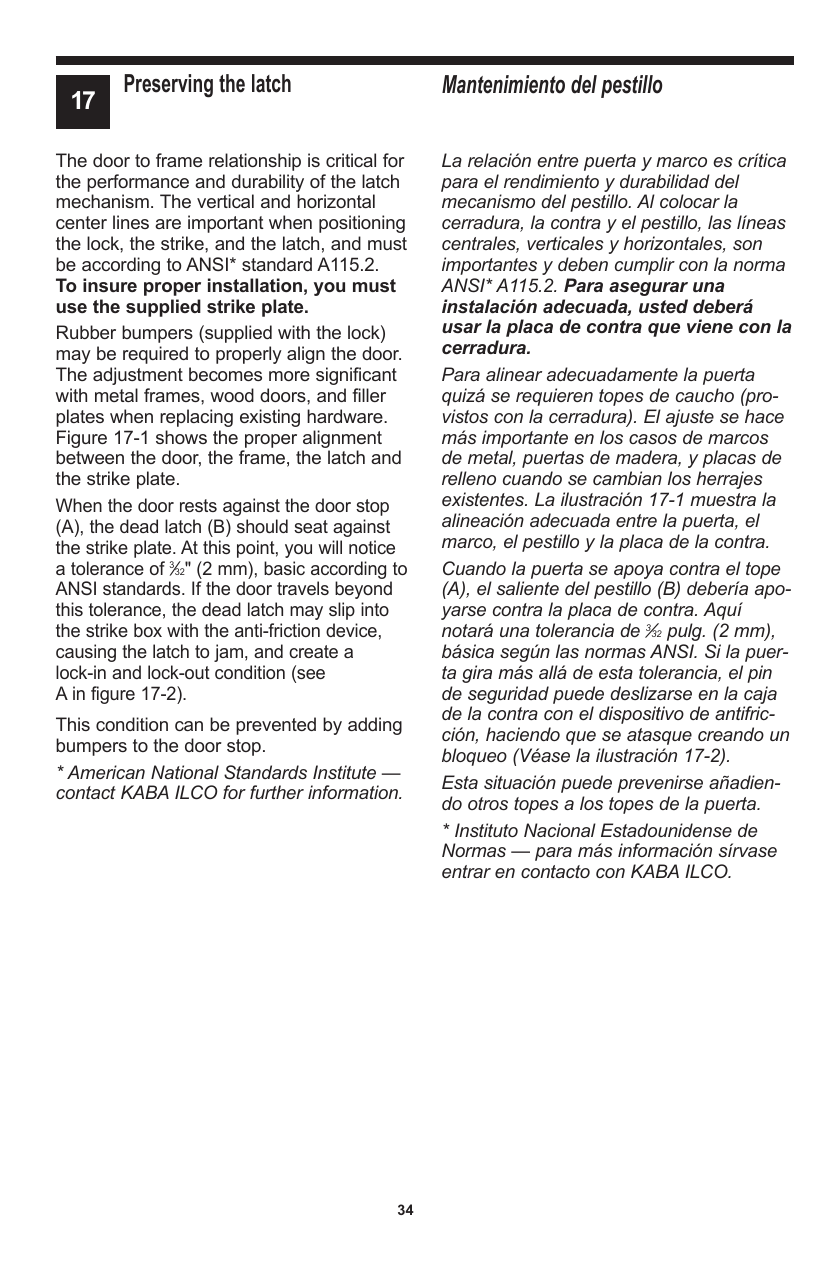
Page 34 from a manual discussing proper door latch installation, focusing on latch alignment, dead latch position, and the use of bumpers to prevent door lock issues.
Page from a technical manual in French on door and jamb alignment, including diagrams showing correct and incorrect installation of door stops and security latches.
Page from a manual on installing rubber bumpers, with instructions in English and Spanish, including steps for cleaning and positioning the bumpers.
Line drawing of a door latch assembly, focusing on the rubber stopper and its installation process.
Page from a manual titled 'Reset an Unknown Combination,' providing step-by-step instructions to clear and set a new combination lock, including diagrams and safety notes.
Technical French instructions with diagrams for resetting an unknown combination lock or safe, including steps and labeled illustrations of lock components.
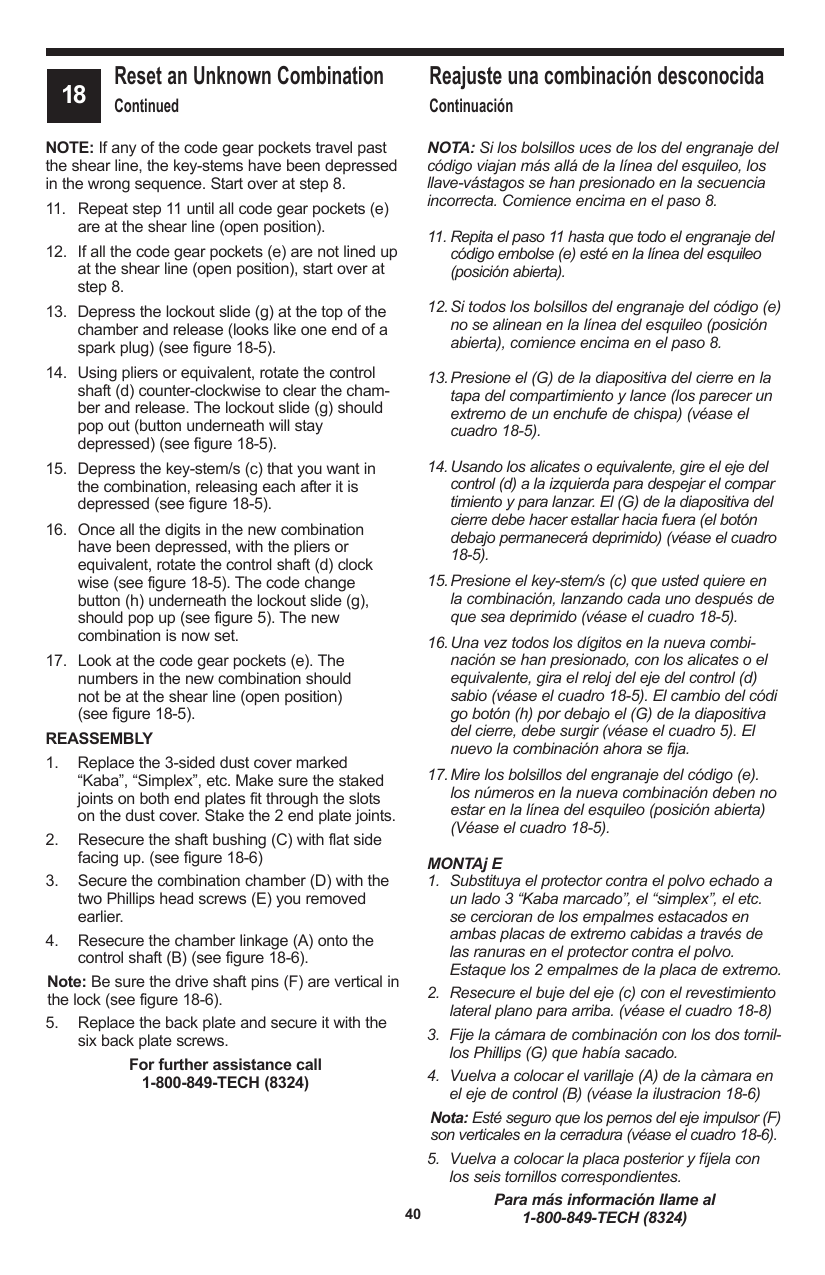
Page from a technical manual with instructions in English and Spanish for resetting and reassembling a device, including steps for handling code gear pockets, lockout slides, and key-stems.
French technical instructions with diagrams for assembling or resetting a mechanical device, including detailed steps and labeled schematic drawings.
French instruction sheet with diagrams showing the internal components of a lock mechanism and repair steps.
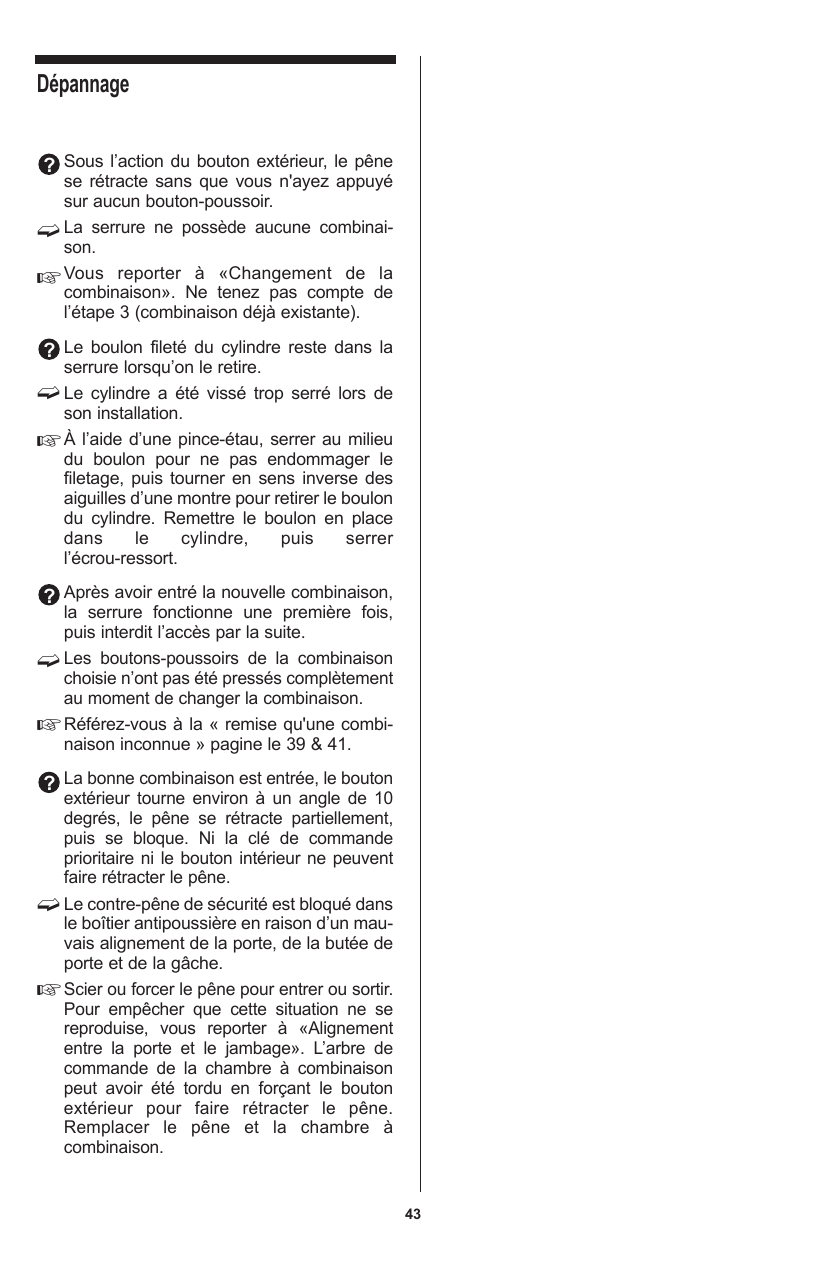
Page from a troubleshooting manual, bilingual in English and Spanish, detailing procedures for lock combination and security pin issues.
Instructions for troubleshooting and changing a lock cylinder, including steps for retraction and reinstallation of the bolt, checking the combination lock, and safety precautions.
A handwritten notes page with horizontal lines and a section labeled "Notes" at the top.
A notes page with lines for writing and a bolded header labeled 'Notes'
Kaba Access Control manual cover with company logo, address, contact information, and website, all displayed on a gray background.