Weiser Halo Matter Manual

halo matter manual
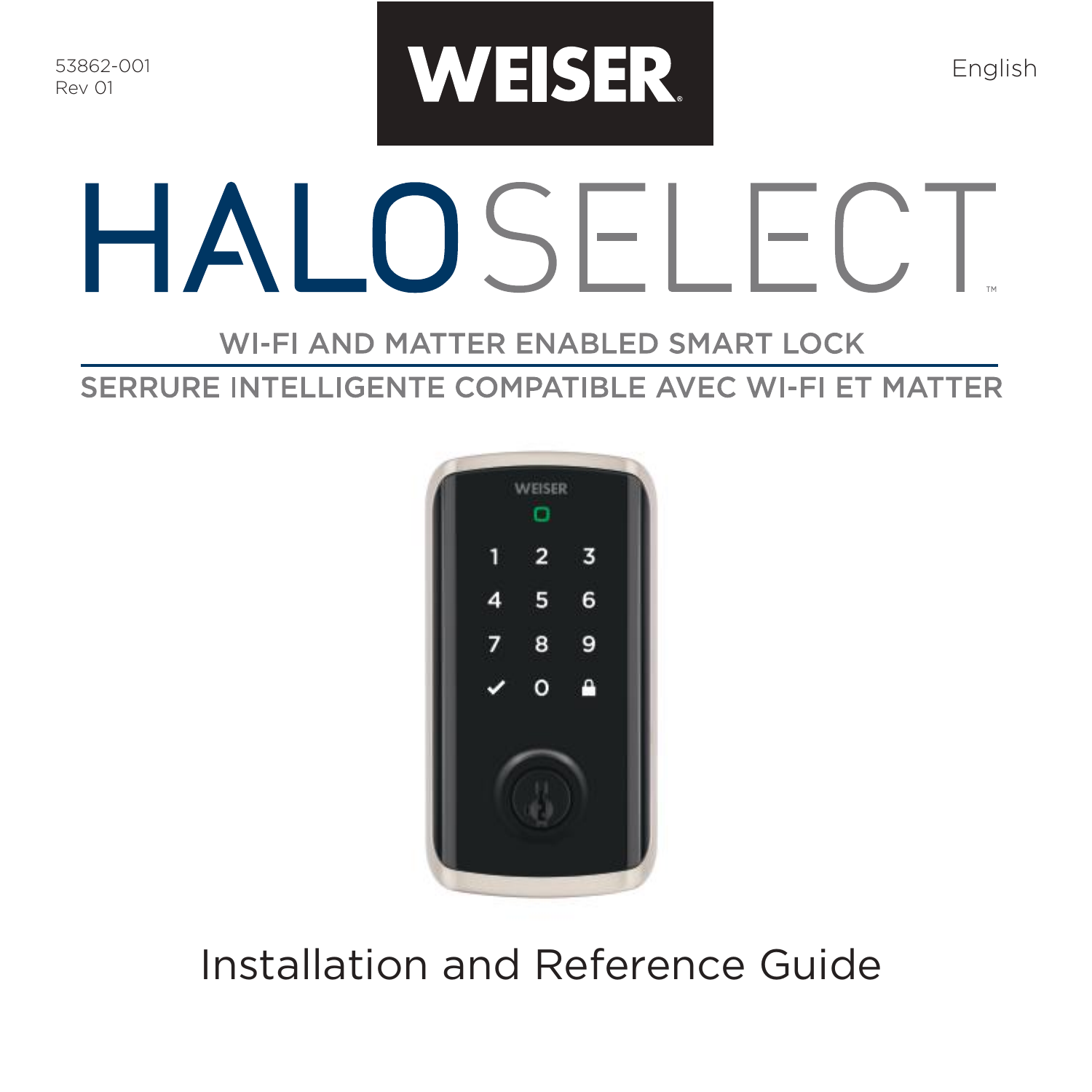
Welcome message from the Weiser family with instructions for setting up a new Halo Select device, including support contact information.
A webpage with the text 'Getting started' and instructions to download the Weiser app via a QR code, with links to the App Store and Google Play.
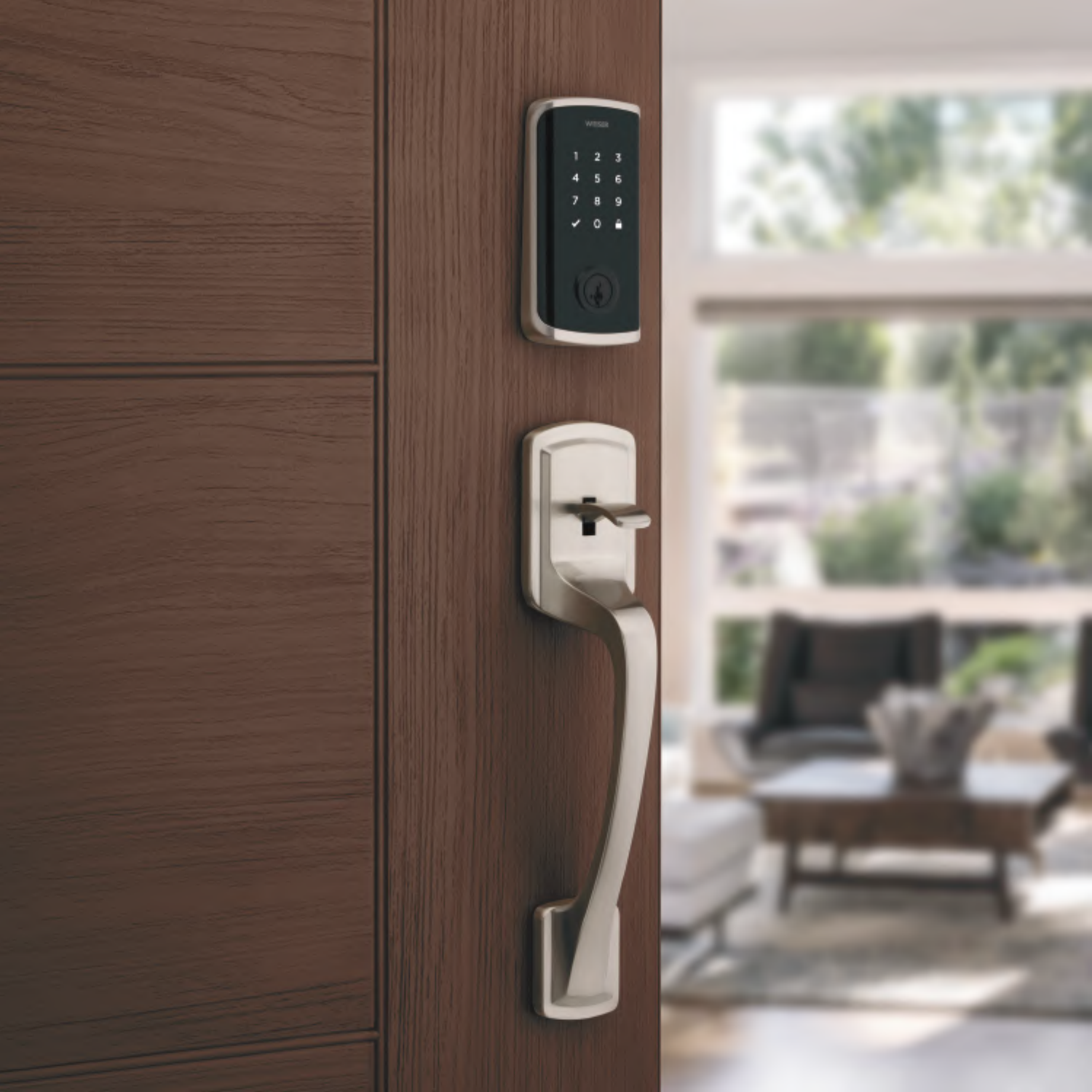
A digital door lock with a keypad and a keyhole mounted on a wooden door, with a blurry background of a chair and large window with trees outside.
Table of contents with sections: Parts in the box, Required tools, Installation, Download the app, Reference guide, with page numbers
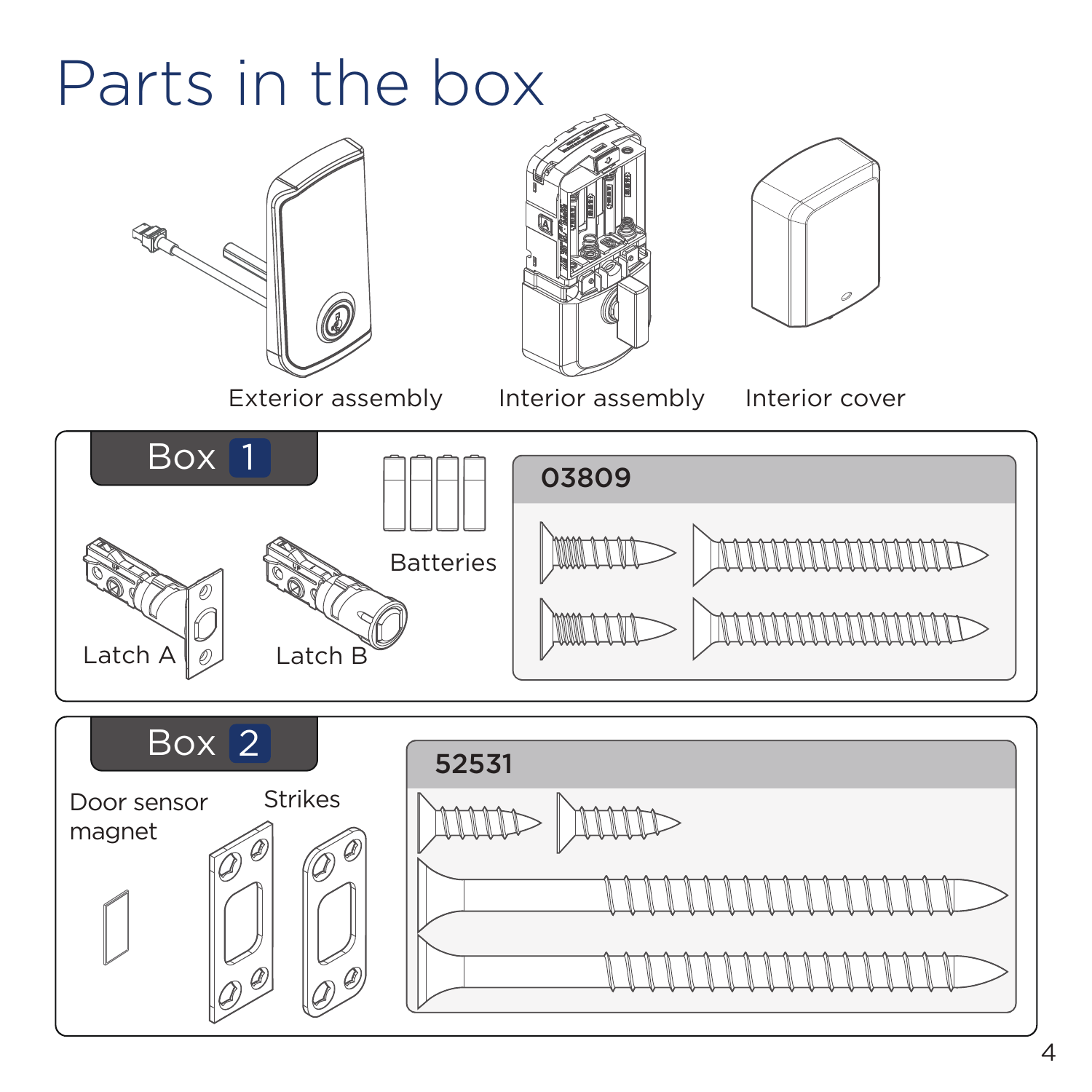
Diagram showing parts inside a lock box, including exterior and interior assemblies, batteries, latch components, door sensor magnet, strikes, and various screws with labels for each item.
Instruction sheet showing tools required for assembly, including a Phillips head screwdriver, ruler, mounting plate, two bolts, keys, a SmartKey tool, and a note indicating no electric drills.
A digital slide with a navy blue background, displaying the word 'Installation' in white text.
Diagram showing how to measure door thickness with a ruler, indicating a range from 1-3/4 inches to 2 inches (44mm to 51mm), with a lock and latch installed on a door. Instructions mention contacting Weiser customer service if the door is thicker than 2 inches.
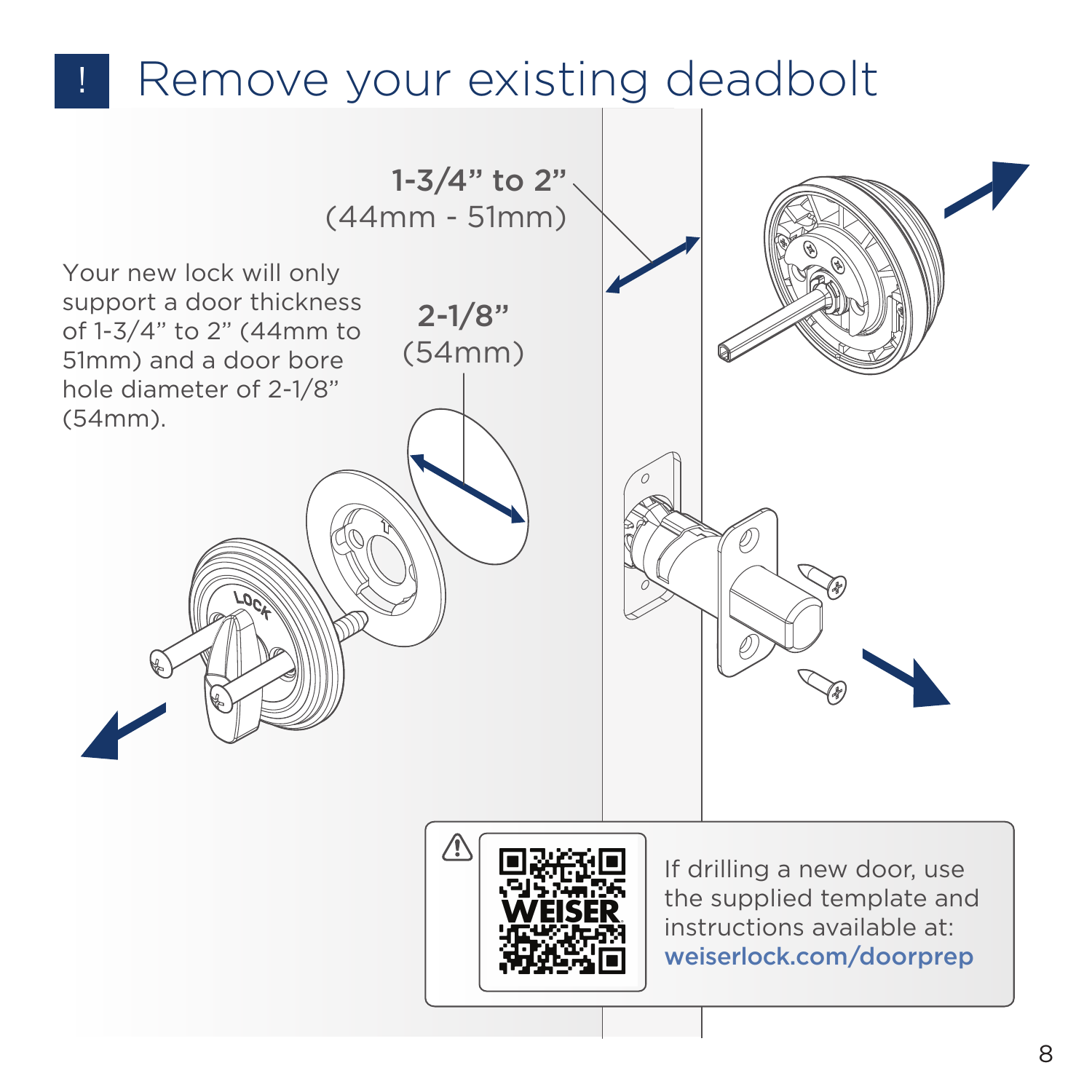
Illustration demonstrating how to remove an existing deadbolt lock from a door, with measurements indicating a door thickness of 1-3/4 inches to 2 inches and a bore hole diameter of 2-1/8 inches. The illustration includes a QR code and website link for additional instructions.
Page from an instruction manual showing how to install a latch, with illustrations of extending the latch bolt, positioning the latch with 'UP' on top, and using longer screws for worn holes. Detailed diagrams emphasize correct orientation and screw placement.
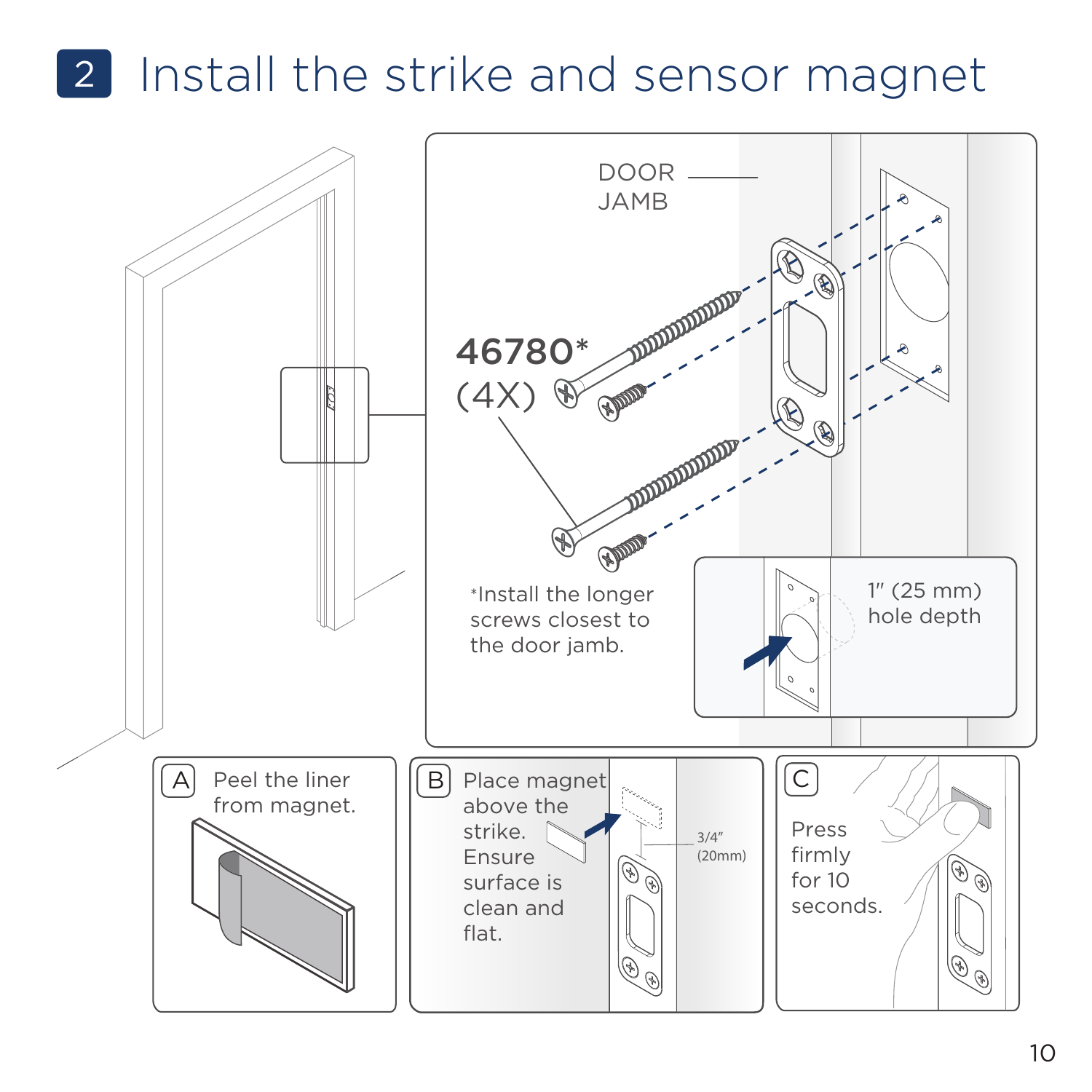
Instruction diagram showing how to install the strike and sensor magnet on a door jamb, including screws, placement tips, and hole depth specifications.
Illustration showing installation of an exterior lock assembly, with cable routed under the latch, on an outside door panel.
Diagram showing installation instructions for a door latch, with steps including tightening screws, routing cable, and inserting key, along with illustrations of screw placement and cable routing.
Instruction manual page showing step 4 to install the interior assembly of a device. It depicts removing the interior cover by lifting it upward, with a caution note to remove the battery pack first, and an illustration of rotating a turnpiece if it's not pointing up.
Detailed assembly instructions for connecting cables and securing interior components of a device, including illustrations of cable connection, cable placement, screw insertion, and ensuring proper engagement, with a specific focus on securing the interior assembly onto a mounting plate.
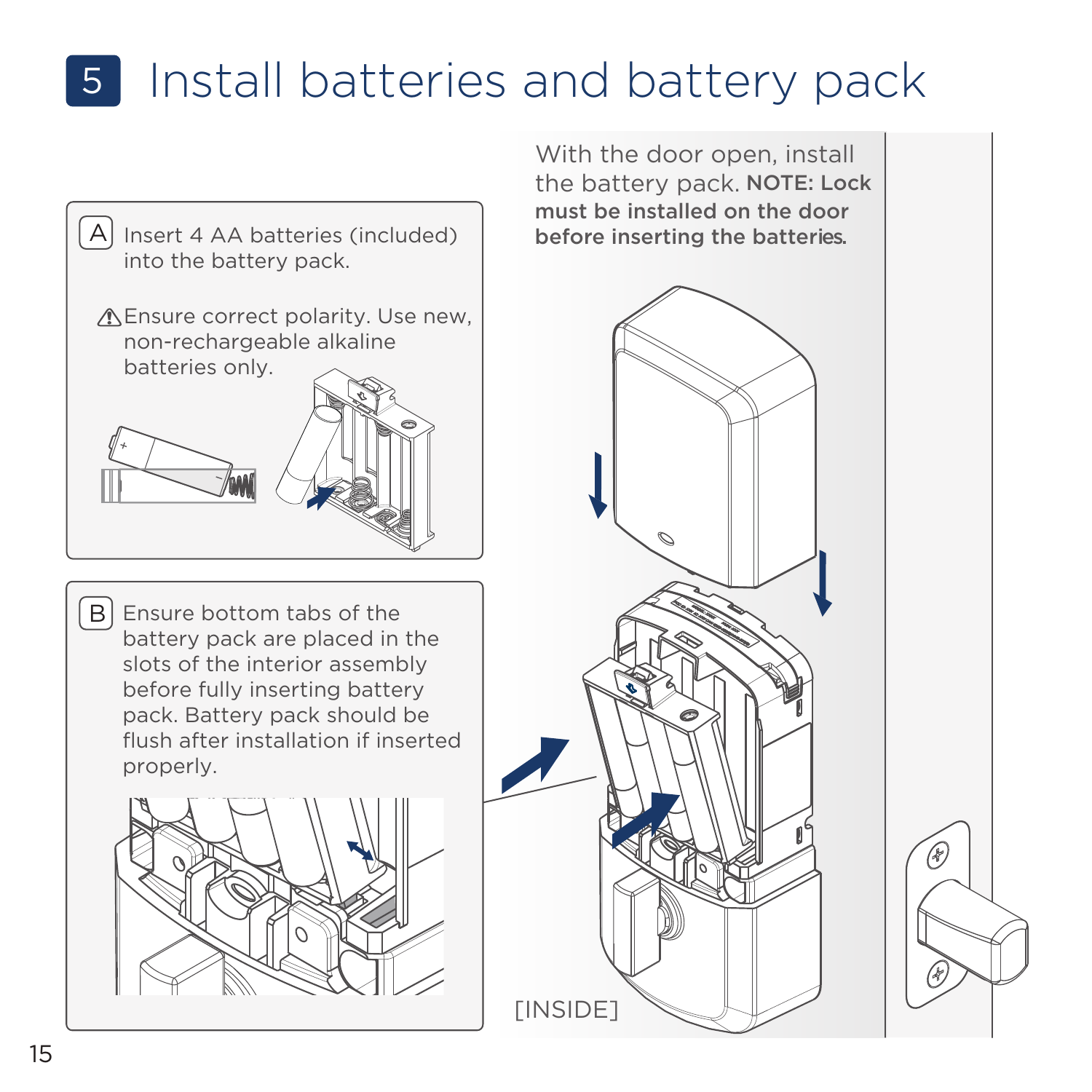
Page from an instructional manual showing how to install batteries and battery pack, with diagrams of the battery compartment and four AA batteries, including close-up details and caution notes.
A message instructing users to download the Weiser app and create an account to complete setup.
Instructions for completing a lock set up using the Weiser app, featuring a QR code and app download links for iOS and Android.
Cover page of a reference guide with a dark blue background and white text.
Instruction manual page showing a diagram of a smart lock rekeying device, with a key inserted into the plug and a focus on the lock's keypad and key slot.
Chart displaying exterior LED indicators for a device, showing different states with specific LED color codes and descriptions, including locked, unlocked, lock jammed, low battery, invalid credentials, and lockout.
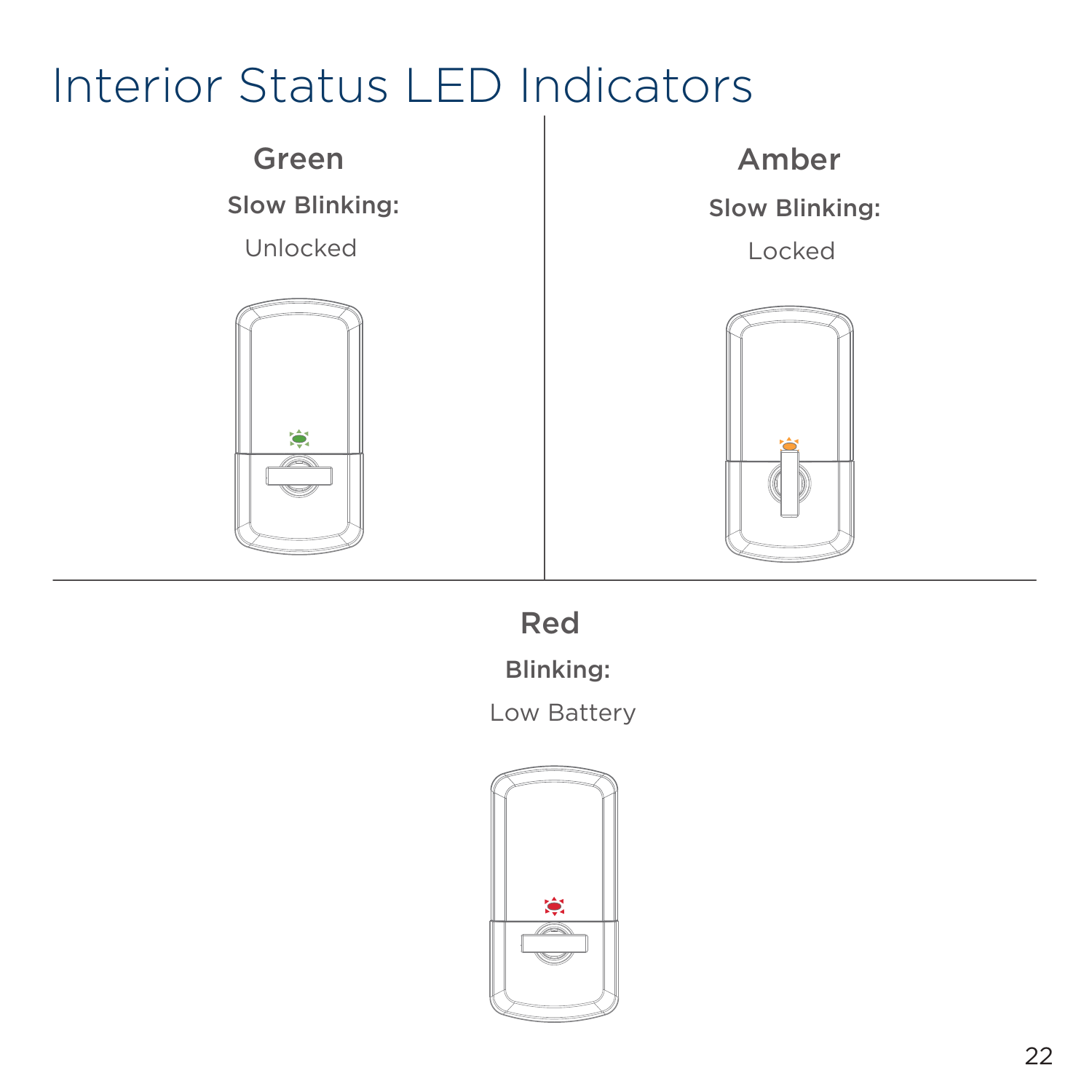
Chart of interior status LED indicators for a device, showing green, amber, and red lights with descriptions of their meanings.
Instruction manual page titled 'Factory Reset' with text explaining steps and illustrations for performing a factory reset on a device, including removing the battery pack and pressing a programming button, with a hand demonstrating the process.
Instructions for resetting a lock, including steps involving a status LED light that flashes red, pressing a programming button, and indicating success with green and blue lights or failure with a red light.
A troubleshooting guide for the Weiser Halo Smart Lock, showing exterior and interior diagrams with labeled components like keypad, connectivity icon, battery icon, status LED, programming button, pairing button, lock icon, and SmartKey tool access. Includes a support URL and a QR code.
Page titled 'Important Safeguards' with bullet points on safety instructions for locks and batteries, and a section on regulatory compliance.